How to Reset LG Washing Machine: Quick Steps
Is your LG washing machine frozen on a cycle, showing a blank screen, or flashing an error code you cannot decode? A simple LG washing machine reset clears temporary software glitches and restores normal operation without erasing your settings or Wi-Fi connections. This guide covers the exact steps for front-load, top-load, and smart ThinQ models, plus expert tips to ensure your fix lasts.
You will learn the most effective universal reset method, how to disable Control Lock, model-specific tricks, and when to skip the reset entirely. Let’s get your washer running again in under 15 minutes.
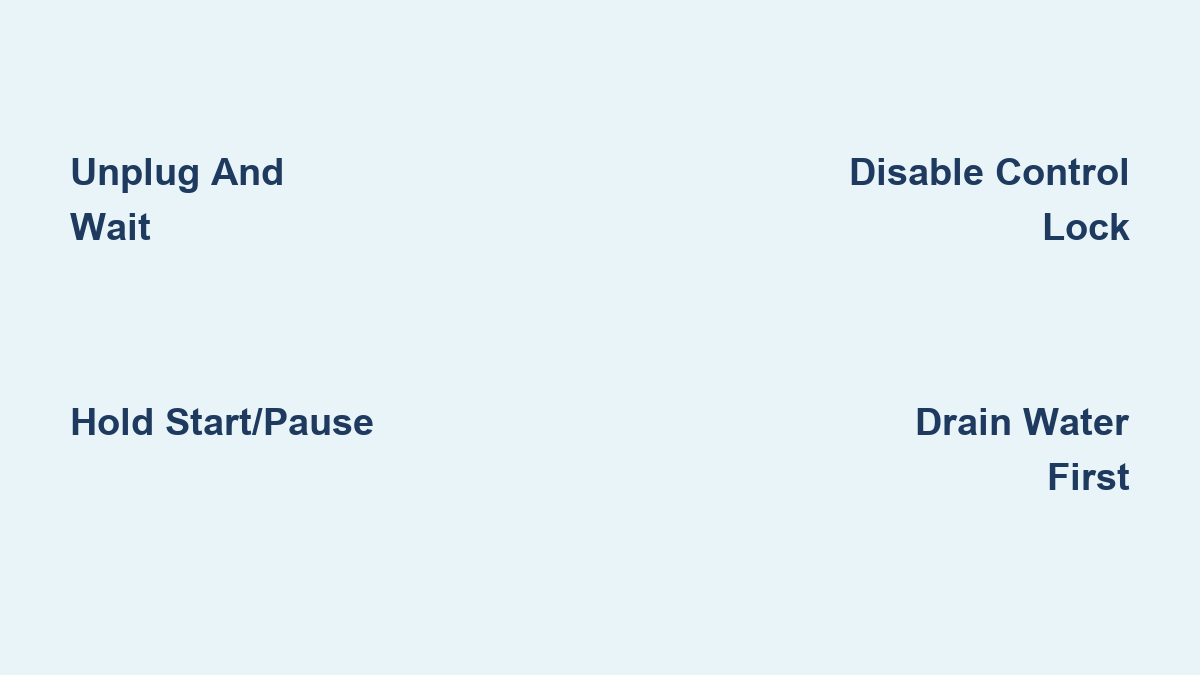
Standard Power Reset for All LG Models
This method works for 90% of LG washer issues, including frozen displays, unresponsive buttons, and mid-cycle stalls. It clears transient errors like OE (drain issue), UE (imbalance), or IE (water inlet) without affecting your saved settings.
Step-by-Step Reset Procedure
- Press Power to turn off the washer completely.
- Unplug the machine from the wall outlet.
- While disconnected, press and hold the Start/Pause button for 5 seconds.
- Wait 5 to 10 minutes to fully discharge internal capacitors.
- Plug the washer back in.
- Wait 1 to 2 minutes for systems to reboot.
- Press Power, then run a quick cycle to test.
Pro Tip: If water remains in the drum after a mid-cycle stop, run the Drain function before resetting to prevent overflow.
This approach works across every LG washing machine model and is verified by LG support and hundreds of users.
Resetting LG ThinQ Smart Washers

Wi-Fi-enabled models need a slightly different approach to preserve your app connection and network preferences.
Preserving Wi-Fi During Reset
- Turn off the washer using the Power button.
- Unplug the unit from the power source.
- Press and hold the Power button for 5 to 10 seconds.
- Wait at least 5 minutes (10 recommended for full reset).
- Reconnect power and restart the washer.
Key Insight: This process resets the main PCB and Wi-Fi module but does not erase ThinQ app pairing.
If you own a washer-dryer pair, reset each appliance separately to prevent sync issues between units.
Fixing CL (Control Lock) Error Fast

If your panel shows “CL” or a lock icon and will not respond, Control Lock is active. This often happens accidentally during cleaning or after a power surge.
Turning Off Child Lock
- Power on the washer so the display is active.
- Press and hold Rinse Plus, Spin, or Control Lock button for 3 to 5 seconds.
- Listen for a beep or watch for the CL indicator to disappear.
- Test normal operation.
Warning: Never attempt a power reset while Control Lock is active. It will not work.
This step is critical before any other reset procedure. Verified on WM4000HWA, WTG1034WF, and other popular models.
Top-Load LG Washer Reset Steps
LG top-load washers have simpler electronics and often recover faster than front-load models.
Quick One-Minute Reset
- Press Power to turn off the machine.
- Unplug the washer from the wall outlet.
- Wait 1 minute.
- Plug back in and restart.
User Verified: Arnima Jain and Mehvish Hayat confirm this works for most top-load error messages.
For stubborn issues, use the enhanced reset by holding Start/Pause for 5 seconds after unplugging, then waiting 5 to 10 minutes before restoring power.
Front-Load Washer Reset Procedure
Front-load models like WM3900HBA and WM4000HWA use sensitive touchscreen interfaces that can freeze due to moisture or software hiccups.
Deep Reset for Touchscreen Models
- Power off via the Power button.
- Unplug or switch off the circuit breaker.
- Press and hold Start/Pause for 5 seconds.
- Wait 5 to 10 minutes.
- Restore power and restart the washer.
Bonus Tip: Wipe the touchscreen with a dry microfiber cloth after resetting. Users report improved responsiveness when removing dust or moisture residue.
Avoid pressing buttons with wet hands, as this triggers false inputs and may re-lock the panel.
Advanced Dual Button Reset Method
This technique is not found in official LG manuals but is widely reported by users to fix recurring errors or frozen touchscreens.
Power Plus Start Hold Technique
- Turn off the washer using the Power button.
- Unplug the machine completely.
- Press and hold Power + Start/Pause simultaneously for 5 seconds.
- Wait 10 minutes.
- Reconnect power and test normal operation.
User Success: Suresh Waghle used this method to revive a non-responsive WM4000HWA.
While unofficial, this mimics a deeper firmware reset and is safe to try if standard methods fail.
When NOT to Reset Your Washer
A reset helps with software glitches but can be dangerous or ineffective with hardware faults.
Skip Reset If You See
• AE, dE, or CE error codes indicating serious communication or mechanical failures
• Water leaking under or around the unit
• Burning smell or sparks from the back
• Door won’t unlock after multiple attempts
• Tripped circuit breaker when powering on
Do not proceed. These require professional repair. Resetting may mask hazards or worsen damage.
Contact LG Support with your model and serial number if any of these occur.
Post-Reset Troubleshooting Checklist
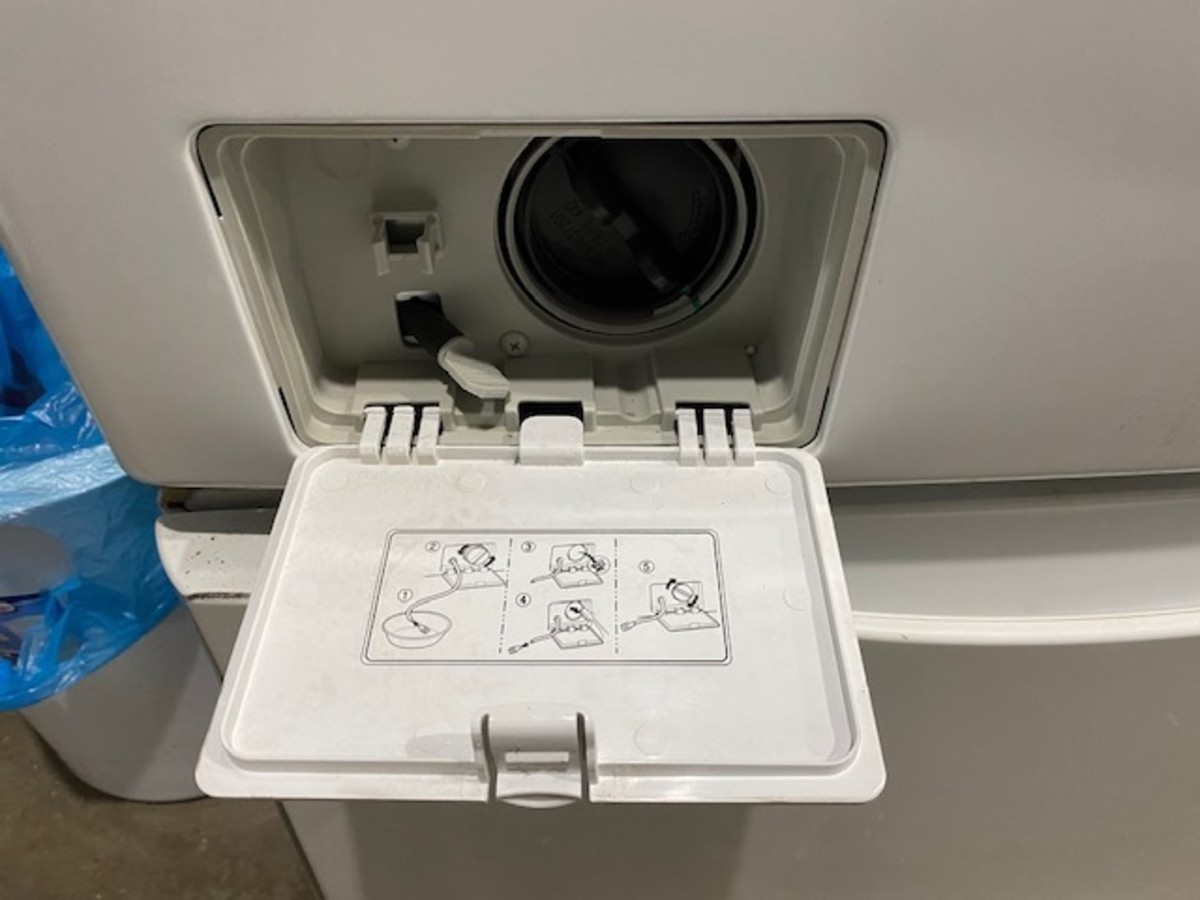
If the washer still misbehaves after reset, follow these steps to uncover the real issue.
Clean the Drain Pump Filter
- Turn off and unplug the washer.
- Open the front lower panel.
- Twist and remove the filter cap.
- Pull the emergency drain hose to empty water.
- Clear lint, coins, or debris from the filter.
- Reinstall and tighten securely.
Maintenance Tip: Clean every 3 to 6 months to prevent OE errors and drainage issues.
Check Water Supply and Leveling
• Ensure both hot and cold valves are fully open.
• Inspect hoses for kinks or low pressure.
• Use a bubble level to confirm the washer is balanced.
• Adjust feet if vibrating or showing UE (unbalanced load) errors.
Inspect Detergent Drawer
Remove and rinse under warm water to eliminate clogs or soap buildup, which are common causes of IE (inlet error) or overflow.
Running Diagnostic Test Mode
If problems persist, test internal components using LG’s built-in diagnostics.
Accessing Test Mode
- With the washer off, press and hold Spin + Rinse for 3 seconds.
- The display will light up with test options.
- Run tests for motor, drain pump, door lock, water valves, and sensors.
Note: Test mode identifies faults but does not clear errors. Use it to confirm what needs repair.
Refer to your owner’s manual for model-specific entry codes.
Preventing Future Washer Issues
A reset is not a cure-all. Prevent repeat problems with simple maintenance habits.
Monthly Maintenance Routine
• Wipe down the door seal and gasket to prevent mold.
• Run a Tub Clean cycle monthly with bleach or LG-approved cleaner.
• Leave the door and detergent drawer open after use to dry.
• Use HE detergent only to prevent excess suds and errors.
Power Protection: Use a surge protector in areas with unstable electricity.
Perform a preventive reset every 3 to 6 months to keep the control board healthy, especially if you have hard water or frequent loads.
When to Call LG Support
Resetting is your first move, not your last. Escalate if the washer stays unresponsive after two proper resets, error codes return immediately, or you notice physical damage, leaks, or burning smells.
Contact LG With
• Model number (e.g., WM4000HWA)
• Serial number
• Error history
• Steps you have already tried
Use 24/7 chat at LG USA Support or call regional customer service.
Frequently Asked Questions About LG Washing Machine Reset
How do I reset my LG washing machine without losing settings?
Unplug the machine, wait 5 to 10 minutes, then plug it back in. This power cycle reset clears temporary errors without erasing your custom cycles or Wi-Fi settings.
Why does my LG washer show CL even after pressing buttons?
The CL code means Control Lock is active. Press and hold Rinse Plus, Spin, or Control Lock for 3 to 5 seconds to deactivate it before attempting any reset.
Can I reset my LG washer while it has water inside?
Run the Drain function first to empty the drum. Residual water can cause overflow or error codes to return after resetting.
How long should I wait before plugging my LG washer back in?
Wait at least 5 minutes for standard models. For ThinQ smart washers, wait 10 minutes to ensure full capacitor discharge and Wi-Fi module reset.
Why does my LG ThinQ washer keep disconnecting from Wi-Fi?
Perform a power button discharge reset by holding the Power button for 5 to 10 seconds while unplugged. This often resolves connectivity issues without losing app pairing.
Key Takeaways for LG Washing Machine Reset
A proper LG washing machine reset solves most minor issues in under 15 minutes without tools or cost. Start with the standard power cycle (unplug, hold Start/Pause for 5 seconds, wait 5 to 10 minutes, then restore power). Always disable Control Lock (CL) before resetting, and drain water from the drum first if present during a mid-cycle stop. Top-load models often recover with a simple 1-minute unplug, while front-load and ThinQ models benefit from the full 5 to 10 minute wait. Combine resets with basic maintenance (cleaning the drain filter monthly, using HE detergent, leaving the door open to dry) to avoid repeat problems. If the washer remains unresponsive after two proper resets or shows serious error codes like AE, dE, or CE, contact LG Support for professional assistance. Keep this guide handy as your fastest path to a working washer.