How to Wash Mouse Pad in Washing Machine
Is your mouse pad looking grimy and worn after months of daily use? Whether it’s a gaming session marathon or just everyday typing, oils from your hands, dust, and debris can build up quickly on your mouse pad surface. Many people wonder if they can wash a mouse pad in the washing machine. The short answer is: it depends on the type and material of your mouse pad. While some models can survive a gentle wash cycle, others may warp, fray, or degrade if tossed in carelessly.
In this guide, you’ll learn how to safely clean different types of mouse pads using a washing machine when appropriate, and when to switch to hand washing. We’ll cover step-by-step instructions, what detergents to use, drying tips to prevent warping, and common mistakes that could damage your gear. Let’s get your mouse pad looking and performing like new again.
Check Mouse Pad Material Before Washing

Before even thinking about the washing machine, inspect your mouse pad’s material and care label. Not all pads are created equal, and not all can handle machine washing.
Identify Cloth vs Rubber Base
Most standard mouse pads consist of a cloth surface stitched or laminated to a rubber or foam base. Cloth surfaces typically tolerate light machine washing if treated gently, but the rubber underside is vulnerable to warping, cracking, or delamination when exposed to high heat or agitation.
• Cloth-top pads with rubber backing: These are the most common. Handle with caution.
• 100% fabric roll-up pads: Often more flexible and may be safer for gentle cycles.
• Hard plastic or resin pads: Never machine wash. Clean only with a damp cloth.
Look for Manufacturer Cleaning Instructions
Check the packaging, product manual, or manufacturer’s website for care guidance. Some brands like Razer, Logitech, or SteelSeries explicitly advise against machine washing. Others may approve of gentle cold cycles for certain models.
Warning: If there’s no clear indication that machine washing is safe, don’t risk it. Hand washing is always the safer option.
Test for Colorfastness
If you’re unsure whether the colors will bleed, do a spot test. Dampen a small corner with soapy water. Rub with a white cloth. If dye transfers, avoid washing, especially in a machine.
Prepare Mouse Pad for Washing
If your pad passes the material and label check, proper preparation is key to avoiding damage during the wash cycle.
Remove Surface Debris First
Start by clearing loose dirt. Use a soft brush or lint roller to remove hair and dust. Wipe the surface with a dry microfiber cloth. This prevents gunk from spreading during the wash and clogging your machine.
Spot Clean Stubborn Stains
Treat visible stains like coffee spills or fingerprints before machine washing. Mix a drop of mild detergent with water. Dip a cloth in the solution and gently rub the stain. Blot dry with a clean towel. Avoid harsh chemicals like bleach or alcohol, as they can degrade fabric and rubber.
Protect the Pad During Wash
To minimize stress on the material, place the mouse pad inside a pillowcase or laundry bag. Secure with a knot or zipper to prevent flapping. Wash alone or with soft items like towels. Never wash with zippers or buttons that could snag.
Pro Tip: Washing the pad inside a pillowcase acts like armor, reducing friction and protecting edges.
Washing Machine Settings to Use
:max_bytes(150000):strip_icc()/how-to-select-the-correct-cycle-2145866_FINAL-10d1b95640284e0a8d01d4523455c7ee-25c018a4c0304212a13315b7ab181e33.png)
Using the wrong settings can destroy your mouse pad in minutes. Choose carefully.
Use Cold Water Only
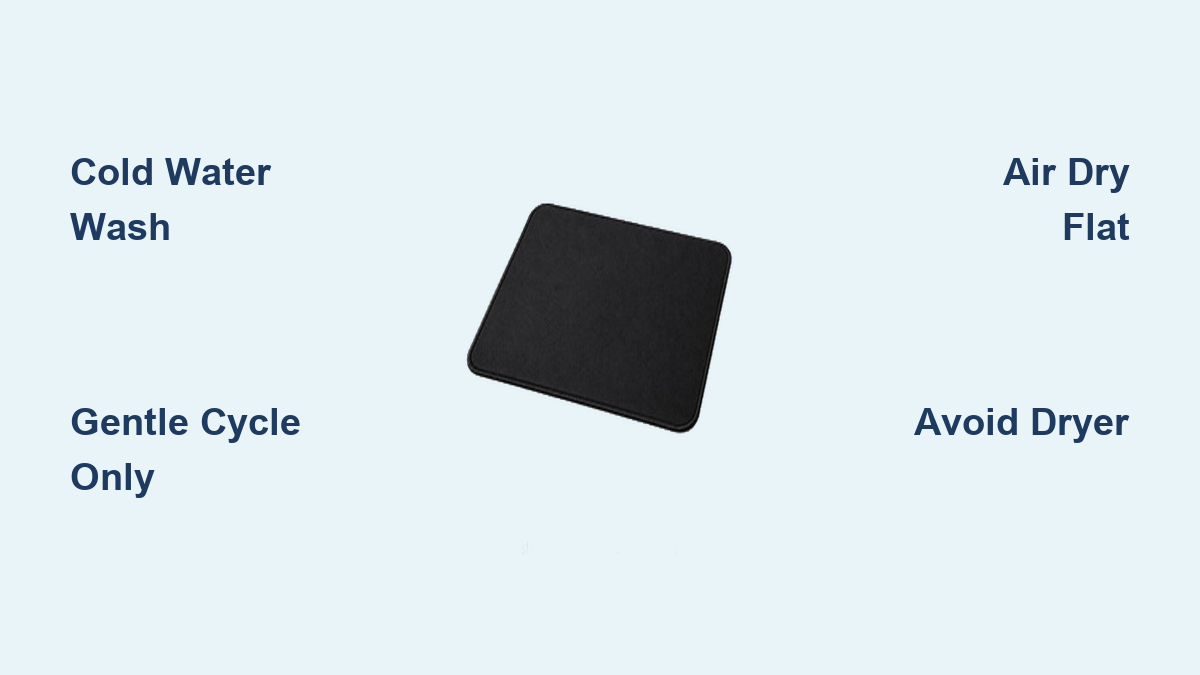
Heat is the enemy of rubber-backed pads. Never use warm or hot water. It can melt glue, warp rubber, or cause bubbling. Select the cold wash cycle, usually labeled Delicate or Hand Wash. Cold water cleans effectively without damaging materials.
Select Gentle or Delicate Cycle
Standard cycles are too aggressive. Choose Delicate, Hand Wash, or Spin Only mode. These reduce agitation and prevent fraying or separation. Duration is typically 30 to 40 minutes, perfect for a light refresh.
Use Mild Detergent
Harsh soaps strip fabric and degrade rubber. Use a small amount of mild liquid detergent like Woolite. Avoid powder detergents, as they don’t dissolve fully and can leave residue. Never use fabric softener. It leaves a slippery film that affects mouse tracking.
What to Do After Washing
The post-wash handling is just as important as the wash itself. Missteps here can ruin your pad.
Air Dry Flat
Heat from dryers causes irreversible damage. Lay the pad flat on a clean towel in a well-ventilated area. Flip it over every few hours to dry both sides evenly. Keep away from direct sunlight or radiators. Never hang or fold. This can cause permanent creases or curling.
Check for Warping or Bubbling
After 12 to 24 hours, inspect the pad. Is the rubber base still smooth? Are there air bubbles between layers? If you see warping, gently press down with books or a flat object while drying.
Restore Surface Texture
Once dry, lightly brush the surface with a soft clothes brush or toothbrush. This lifts flattened fibers and restores glide. Avoid abrasive tools. They can scratch or fray the edges.
When Not to Use the Washing Machine
Some mouse pads should never go in the washer, no exceptions.
Custom or Printed Designs
High-resolution printed or photo mouse pads have ink that can bleed or fade during washing. Moisture may seep under the coating, causing peeling. Stick to damp cloth cleaning only.
Thick or Multi-Layered Gaming Pads
Premium gaming mouse pads with stitched edges or dual-texture zones may have layers that separate under agitation. Glue can weaken, leading to delamination. These are best cleaned by hand.
Pads with Anti-Slip Coatings
Some rubber backs have special grip treatments. Detergents can strip the coating. Machine washing reduces traction over time.
Hand Wash Alternative
If you’re unsure about machine washing, hand washing is faster, safer, and more controlled.
Fill Basin with Cold Soapy Water
Use a sink or tub with cold water. Add a capful of mild detergent. Swirl to mix. Avoid suds overload.
Gently Scrub the Surface
Dip a soft sponge or microfiber cloth in the water. Rub in circular motions, focusing on dirty areas. Rinse the cloth frequently. Avoid scrubbing the edges, as this can loosen stitching.
Rinse and Dry Properly
Hold under cold running water until soap runs clear. Press lightly to remove excess water. Don’t twist or wring. Dry flat on a towel, flipping every few hours. Total time is 30 to 60 minutes.
Maintenance Tips to Extend Lifespan
Keep your mouse pad clean and functional longer with these habits.
Wipe Daily with Damp Cloth
Use a slightly damp microfiber cloth. This removes oils before they build up. It takes 10 seconds and is ideal for quick upkeep.
Use a Mouse Bungee or Wrist Rest
This reduces direct hand contact with the pad. Less sweat and oil transfer means less frequent cleaning.
Store Properly When Not in Use
Keep covered or rolled if designed for it. Avoid placing heavy objects on top.
Common Mistakes to Avoid
Even small errors can shorten your mouse pad’s life.
Using Hot Water or Dryer
Heat melts glue, warps rubber, and shrinks fabric. Never worth the risk.
Letting It Sit Wet
Leaving a damp pad in a pile causes mildew smell, mold growth, and permanent warping. Always dry flat and fully.
Using Abrasive Cleaners
Toothpaste, bleach, or scrubbing pads damage surface texture and leave residues that interfere with mouse sensors. Stick to mild soap and soft cloths.
Frequently Asked Questions About Washing Mouse Pads
Can all mouse pads be washed in a washing machine?
No. Not all mouse pads can handle machine washing. Cloth pads with rubber backs may survive a gentle cold cycle, but hard plastic pads, custom printed designs, and thick gaming pads should never go in the washing machine. Always check the manufacturer’s guidelines first.
What happens if I wash my mouse pad in hot water?
Hot water can melt the glue holding the rubber base to the cloth surface. This causes warping, bubbling, and permanent damage. Always use cold water when washing a mouse pad.
How often should I clean my mouse pad?
Clean your mouse pad every 2 to 4 weeks depending on usage. Daily gamers or those with oily skin may need more frequent cleaning. Wipe with a damp cloth weekly to prevent buildup.
Can I put my mouse pad in the dryer?
No. Never put a mouse pad in the tumble dryer. The heat will warp the rubber base and damage the fabric. Always air dry flat on a clean towel.
Will machine washing affect the mouse tracking accuracy?
If done correctly with cold water and gentle cycles, machine washing should not affect tracking. However, using harsh detergents, fabric softener, or heat can leave residues that interfere with sensor performance.
Key Takeaways for Washing Your Mouse Pad
While some cloth mouse pads can survive a cold, gentle machine wash when protected in a pillowcase, hand washing is almost always the safer and more effective method. Always check the manufacturer’s guidelines before attempting any machine washing. Avoid heat entirely, from the water temperature to the drying process. Never use fabric softener or harsh chemicals that can damage the surface or leave residues. With proper care, your mouse pad can stay smooth, clean, and fully functional for years, whether you’re gaming, working, or creating. For best results, clean every 2 to 4 weeks depending on usage, and avoid machine washing unless you’re absolutely certain it’s safe for your specific pad.