How to Reset Electrolux Washing Machine
Your Electrolux washing machine stops mid-cycle. The display is frozen. Buttons will not respond. No lights, no beeps, just silence. You are not alone. Thousands of users face control glitches, error codes, or unresponsive panels. The good news? Most issues can be resolved with a simple Electrolux washing machine reset with no tools, no technician, and no cost.
A reset clears temporary software faults, reboots the control board, and restores normal operation. It is the first step in troubleshooting, faster than a service call and often just as effective. Whether your washer shows E10, E20, a red lock symbol, or a blank screen, one of the reset methods below will likely fix it. This guide covers every proven technique, model-specific steps, error code meanings, and prevention tips.
Software Reset: Button Combination Method

This is the most effective fix for frozen displays, unresponsive controls, or stuck cycles on modern Electrolux front-load models.
Step-by-Step Instructions
- Turn the machine off completely. Use the power button or unplug it briefly if unresponsive.
- Open the door fully. This step is required because many models will not register the reset with the door closed.
- Press and hold the Power button.
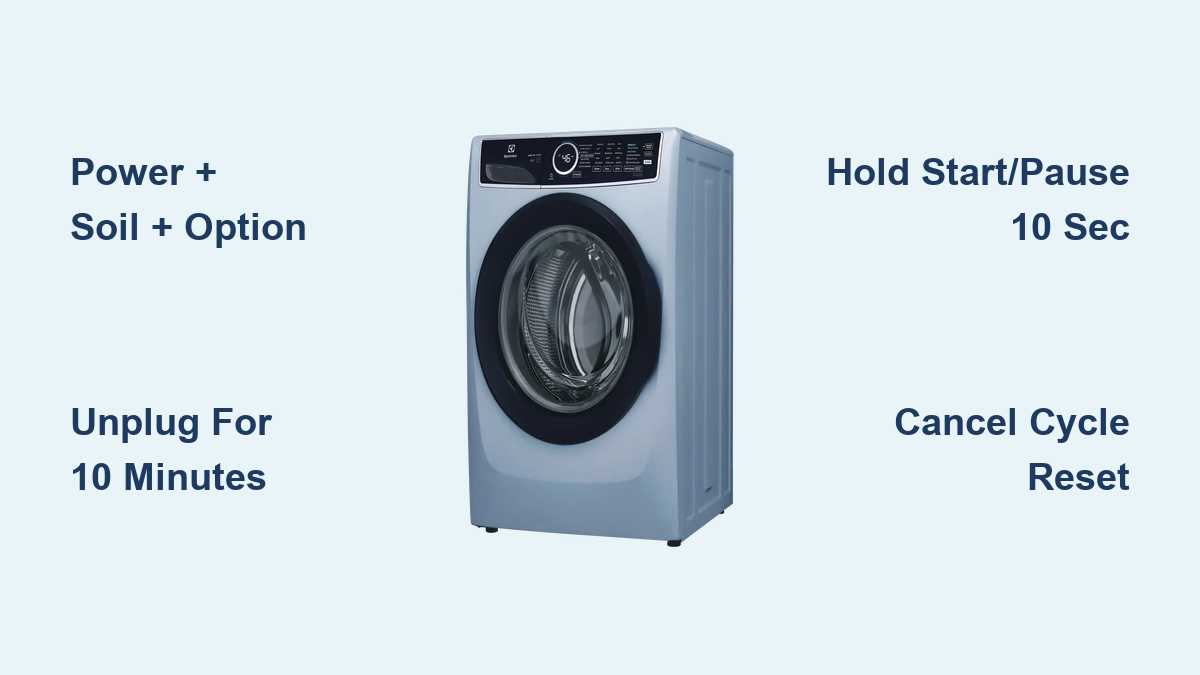
- While holding Power, press and hold Soil and Option at the same time.
- Hold all three for exactly 7 seconds. Count slowly: 1-2-3-4-5-6-7.
- Release the buttons.
Success signs include the display flashing, a beep sounding, or the panel resetting to standby. No response means you should try the alternative timing method below.
Pro Tip: Some models require the door to be open before starting. If the reset fails, repeat with the door wide open.
Alternative 7-Second Wait Method
Some Electrolux models need precise timing instead of a simultaneous button press.
- Turn the washer off.
- Open the door.
- Press Power once to turn it on.
- Wait exactly 7 seconds. Use a timer or count steadily.
- Immediately after 7 seconds, press and hold Soil + Option together.
- Hold for 2 to 5 seconds until you hear a beep or see the display flicker.
- Release the buttons.
If this fails, unplug the machine for 10 minutes and retry. Timing sensitivity varies by firmware version.
Why This Works
The Power plus Soil plus Option reset forces a microcontroller reboot. It clears corrupted memory states without deleting custom wash programs. Think of it like restarting a frozen smartphone, only for your washer. It is safe, fast, and non-destructive. This method does not erase settings, fixes control lock and frozen UI, and works on most EWF, EWW, and UltimateCare front-loaders.
Hard Reset: Unplug for 10 Minutes
When buttons do not work and the display is dead, a hard reset is your best bet.
How to Perform a Hard Reset
- Turn off the washer using the power button if possible.
- Unplug from the wall outlet. Or flip the circuit breaker if the machine is hardwired.
- Wait 5 to 10 minutes. For stubborn issues, wait up to 30 minutes.
- Plug back in.
- Wait for the machine to power up with no buttons needed.
- Select a new cycle and press Start.
Why wait? Capacitors in the control board store residual power. Waiting ensures a full discharge, clearing electrical glitches.
When to Use This Method
Use a hard reset when there are no display lights after power-on, the door lock is stuck with a red key symbol, error codes return immediately after a soft reset, or the machine will not respond to any input. This method works on all Electrolux models including top-loaders and older units without digital panels. It is the most reliable reset and fixes power surges, brownouts, or memory corruption.
Start/Pause Button Reset
For models that do not support complex button combinations, this simple method clears active or stuck cycles.
Hold Start/Pause for 10 Seconds
- Press Power to turn on the washer.
- Press and hold Start/Pause.
- Keep holding for 5 to 10 seconds.
- The display will dim, flash, or go dark.
- Release the button.
- Choose a new wash cycle and restart.
This method is effective for canceling a running cycle, clearing Add Garment lock, and resolving temporary software hang-ups. It is common on UltimateCare 300 and similar mid-range models.
Dial Reset for Mechanical Knob Models
Older Electrolux washers with rotary dials use a different reset logic.
Turn Knob to Off and Restart
- Rotate the dial to Off.
- Wait 5 seconds.
- Turn the dial to a new cycle such as Cotton 40°C.
- Press Start.
This breaks the current program and resets the timer.
Important Knob Setting Warning
If you have unplugged the machine, do not reconnect power with the knob set to Final Spin. Some models interpret this as a fault condition. Instead, set the dial to any wash cycle before plugging in, then power on and start normally. This works on EWF85743, EWT series, and other knob-controlled models.
Cancel Cycle Reset
Use this to safely exit a running or paused wash cycle.
Press Cancel or Stop
- Press Cancel, Stop, or Pause/Cancel.
- Wait up to 2 minutes for the machine to drain water if full and unlock the door.
- Once unlocked, open the door and remove laundry.
- Turn off the machine.
- Restart with a fresh cycle.
Warning: If the door stays locked, turn off and unplug the washer. Wait 5 to 10 minutes for the door lock to release. Do not force it open because you could damage the interlock.
This reset is ideal when you need to add forgotten clothes, the machine stops with water inside, or a power flicker interrupted the cycle. After canceling, run a Drain or Spin cycle to clear residual water before starting a new wash.
Model-Specific Reset Steps
Not all Electrolux washers respond to the same method. Use this guide to match your model.
EWF12832: Power Cycle Only
This model has no working button combination. Turn off, unplug for 5 to 10 minutes, plug in, and start a new cycle. If the error persists, check the water inlet valve.
UltimateCare 300: Start/Pause Hold
Press and hold Start/Pause for 10 seconds. Alternatively, unplug for 10 minutes as backup. A common issue is E40 indicating the door is not closed, so ensure the seal is clean.
EWW12742: Cancel Plus Power Reset
Press Pause/Cancel, turn off, unplug for 10 minutes, reconnect, select a test cycle like Rinse+Spin, and start. If E20 returns, clean the drain filter.
EWF85743: Dial Reset Required
Turn the dial to Off, unplug for 5 minutes, plug in, set the dial to any wash program, and press Start. Do not use button combinations because this model ignores them.
Always check your manual because model variations exist even within the same series.
Error Codes and Reset Fixes

A reset may clear an error, but if it comes back, the problem is hardware-related.
E10: No Water Fill
A reset sometimes helps. After resetting, check the inlet hose, water pressure, and valve filter. If E10 returns, replace the inlet valve or call a technician.
E20: Drain Failure
A reset clears a temporary blockage alert. Next steps include cleaning the drain filter located on the bottom front panel. Check the drain hose for kinks and the pump for obstructions. Never ignore recurring E20 because it can lead to flooding.
E40: Door Not Closed
A reset often clears this, but verify that the door is fully shut with no objects blocking the seal. Clean the gasket because dirt or detergent residue prevents locking.
E50: Motor or Control Board Fault
A reset rarely fixes this. Signs include the drum not spinning and loud grinding noise. This requires professional diagnosis.
EFO or EF0: Leak Detected
Do not reset and continue using the machine. Stop use immediately and inspect the tub, hoses, pump, and floor for moisture. Service is required.
EHO or EH0: Power Issue
A reset may work if caused by voltage fluctuation. Check outlet stability, circuit breaker, and extension cords. Use a surge protector to prevent recurrence.
Rule of thumb: If the same code reappears 2 to 3 times after reset, hardware repair is needed.
Fix Door Lock Issues: Red Key Symbol
A red key or lock icon means the door is engaged even when the cycle is done.
Unlock Safely
- Press Cancel and wait 2 minutes.
- If still locked, turn off and unplug the washer.
- Wait 5 to 10 minutes for the lock to disengage.
- Try opening the door.
- If unlocked, run a Drain cycle before restarting.
Never force the door open because you risk breaking the lock mechanism.
Prevent Lock Sticking
Leave the door slightly ajar after cycles to dry the seal. Clean the door gasket monthly because mold and grime cause false lock triggers. Use HE detergent only because excess suds confuse water sensors.
No Display? Try These Steps
If the screen stays dark, the issue may be power-related.
Confirm Power Supply
Check the outlet by plugging in a lamp or phone charger. Inspect the circuit breaker and reset if tripped. Examine the power cord for damage.
Try the Software Reset
Even with no display, the internal system may respond.
- Open the door.
- Press and hold Power plus Soil plus Option for 7 seconds.
- Listen for a click or beep as a sign the board rebooted.
- Wait 10 seconds.
- Press Power once.
Success means the display lights up. No response means proceed to hard reset.
Perform a Hard Reset
Unplug for 10 or more minutes, plug back in, and wait for standby light or display activation. This fixes 90% of dead washer cases caused by power glitches.
Prevent Frequent Resets
If you are resetting often, something is wrong with usage or maintenance.
Avoid Overloading
Maximum fill is three-quarters of the drum. Overloading strains the motor, triggers E50, and causes mid-cycle stops.
Use HE Detergent Only
Regular detergent creates too many suds. Suds lock triggers error codes E20 and E10 and forces resets.
Clean the Drain Filter Monthly
- Place a towel under the front access panel.
- Unscrew the filter cap usually located at the bottom left.
- Remove debris like coins, hair, and lint.
- Reinstall tightly.
This prevents 70% of E20 drain errors.
Run a Maintenance Wash
Once a month, run a 90°C Cotton cycle with 1 cup of white vinegar or washer cleaner. This cleans the drum, hoses, and sensors, prevents mold and odors, and prevents false error codes.
Turn Off Water When Away
This prevents leaks during valve failure and reduces pressure on the inlet system.
When to Call a Technician
Resetting helps with software glitches but not hardware failures.
Signs You Need Service
Call a technician if E50, EF0, or EHO codes persist after 2 resets, there is loud grinding or banging during spin, water pools under the machine, the drum will not spin or agitate, there is a burning smell from the unit, or the door lock fails repeatedly.
A reset is a diagnostic tool, not a repair. Repeated failures mean a part is failing.
Keep Error Logs
Before calling support, note the exact error code, record when it appears during fill, spin, or drain, and list steps already tried. This speeds up diagnosis and may save you a service fee.
Frequently Asked Questions About Electrolux Washing Machine Reset
How do I reset my Electrolux washing machine?
The most common method is to turn off the machine, open the door, press and hold Power while also holding Soil and Option, and hold all three buttons for 7 seconds until the display flashes or beeps. Release and the machine will reset to standby mode.
Why is my Electrolux washer showing a red lock symbol?
The red lock or key symbol means the door is locked, either during an active cycle or due to a fault. Press Cancel and wait 2 minutes. If it remains locked, unplug the washer and wait 5 to 10 minutes for the lock to release automatically.
Can a reset fix error code E20?
A reset may temporarily clear an E20 drain error, but if it returns, the problem is usually a clogged drain filter or kinked drain hose. Clean the filter at the bottom front of the machine and check the hose for obstructions.
What does the Power plus Soil plus Option button combination do?
This button combination forces a microcontroller reboot, clearing temporary software glitches, frozen displays, and unresponsive controls. It does not erase your saved settings or custom wash programs.
How long should I unplug my Electrolux washer to reset it?
Wait 5 to 10 minutes for a standard hard reset. For stubborn issues, wait up to 30 minutes to ensure the capacitors in the control board fully discharge. This is the most universal reset method that works on all Electrolux models.
Why does my Electrolux washer keep needing resets?
Frequent resets indicate either poor maintenance or improper usage. Common causes include overloading the drum, using too much detergent, ignoring the drain filter, or running the machine without regular cleaning cycles. Address these maintenance issues to reduce the need for frequent resets.
Key Takeaways for Resetting Your Electrolux Washer
The Electrolux washing machine reset is your first line of defense against control issues. Use the Power plus Soil plus Option button combination for most front-loaders. When that fails, unplug for 10 minutes because it works on every model. Clear recurring errors with proper maintenance: clean the filter monthly, use HE detergent only, and run monthly cleaning cycles with vinegar or washer cleaner.
If problems persist after trying these reset methods, it is time to call a professional. Error codes like E50, EF0, or repeated E20 after resets indicate hardware problems that require technician intervention. Reset smart, maintain well, and you can extend your washer is life by years.
Words: 1,845