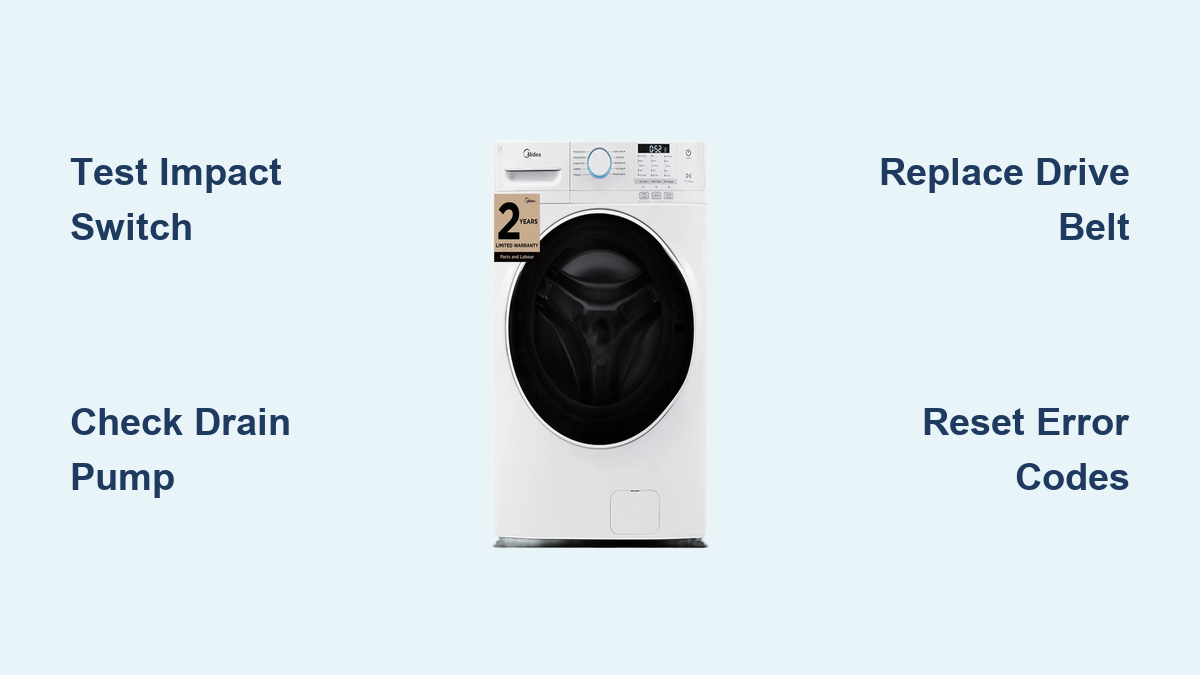
Midea Washing Machine Repair Guide
If your Midea washing machine won’t spin, displays an error code, or fails to drain, you are not alone. Thousands of homeowners face similar issues, and many can be resolved without a service call. With the right tools and knowledge, you can diagnose and repair most Midea washer problems yourself, saving time and hundreds in repair costs.
This guide delivers a complete, step-by-step breakdown of common Midea washing machine faults, including E1, E4, E5, and U4 error codes, spin failure, drainage issues, and more. You will learn how to test components like the impact switch, shift actuator, drain pump, and control board using a multimeter, and when to replace parts safely.
Diagnose E5 Error: Washer Won t Spin

The E5 error on Midea washers typically means the impact switch has failed. This switch prevents spinning if the tub is misaligned or unbalanced. A faulty switch blocks spin cycles even when everything else works.
Test the Impact Switch
The impact switch sits on the right side of the tub housing. It acts as a safety sensor that disables spinning when tub position is abnormal.
Tools needed:
• Phillips screwdriver
• Digital multimeter
Steps to test:
1. Unplug the washer for safety.
2. Remove three screws from the rear control panel (left, right, center positions).
3. Roll the console forward gently to expose internal components.
4. Locate the impact switch on the right side of the tub.
5. Unscrew the switch using two Phillips screws.
6. Inspect for cracks, debris, or a stuck actuator.
7. Test continuity by setting multimeter to resistance (ohms), touching probes to the two terminals, and pressing the actuator button. A good switch shows near-zero resistance or beeps in continuity mode. No change means replace the switch.
Pro tip: After installing a new switch, ensure it is not pressed against the tub. Misalignment causes false E5 errors.
Replace the Impact Switch
- Insert the new switch into the housing and secure with two Phillips screws.
- Roll the console back and lock the side tabs.
- Plug in and test with a short cycle.
If E5 returns, check tub alignment or suspect the PCB.
Fix Wobbling During Spin Cycle

A loose or misaligned wash plate causes wobbling, noise, and poor spin performance. Stripped threads on the central bolt are common in high-use machines.
Inspect the Wash Plate and Agitator
Tools needed:
• Flathead screwdriver
• 10 mm socket or nut driver
• Trampoline-spring tool (recommended)
Steps:
1. Pry off the agitator cap using a thin flathead.
2. Remove the 10 mm center bolt securing the wash plate.
3. Lift the plate using a trampoline-spring tool under the edge for even lift. If stuck, run a hot water cycle with citric acid to dissolve mineral buildup.
4. Inspect the hub and drive shaft for stripped threads or cracks.
5. Ensure the plate sits flush when reinstalled.
Reinstall and Secure the Wash Plate
- Place the plate back and hand-tighten the bolt.
- Add one drop of blue thread locker (Loctite 242) to prevent vibration-induced loosening.
- Tighten fully with the 10 mm driver and replace the cap.
Warning: Never operate without the center bolt. It can damage the transmission.
If threads are stripped, replace the entire wash plate assembly with a genuine Midea part.
Diagnose No Spin: Check the Shift Actuator
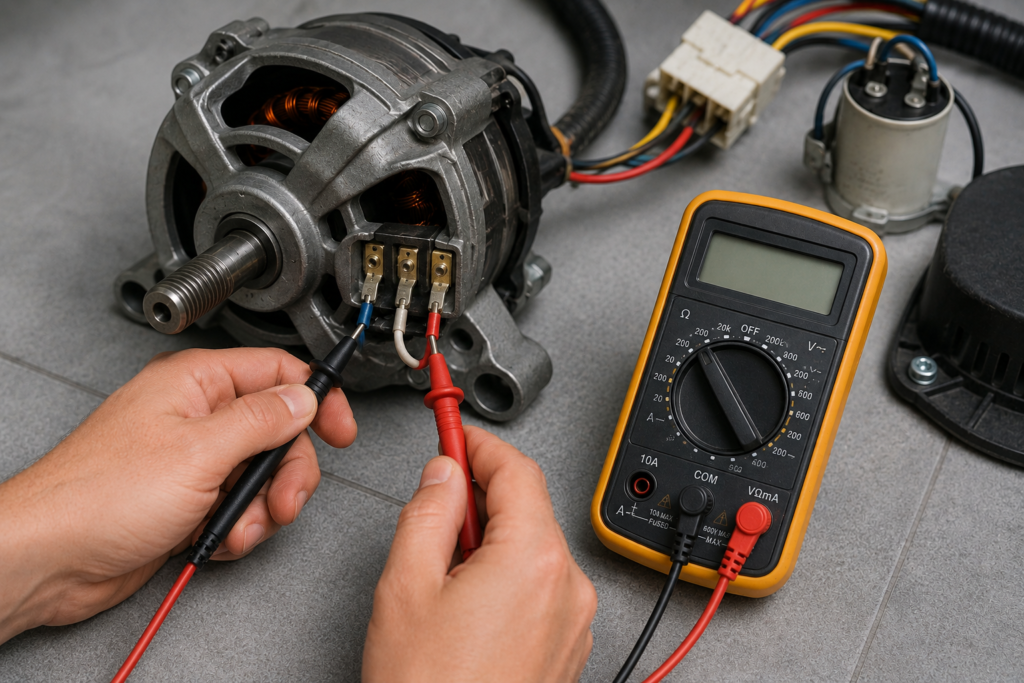
The shift actuator engages the transmission to switch between agitate and spin modes. If it fails, the washer agitates but will not spin.
Test Resistance with Multimeter
Tools:
• 10 mm socket wrench
• Digital multimeter
Steps:
1. Unplug the washer.
2. Remove two 10 mm screws securing the actuator (usually on the rear).
3. Disconnect the wire harness. Cut zip ties if needed.
4. Test resistance by setting multimeter to the 2000 range and measuring across terminals.
5. Normal reading should be 1,500 ohms plus or minus 10 percent (1,350 to 1,650 ohms). Out of range means replace the actuator.
Reinstall the Actuator
- Reconnect the electrical plug and route wires neatly behind the unit.
- Slide the wire retainer into the transmission shifter.
- Align the actuator and secure with screws.
- Manually move the shift arm. It should glide smoothly.
Do not skip this: Pinched wires cause intermittent faults and short circuits.
Access the Washer Underbelly Safely
When agitation fails or the washer makes grinding noises, check the drive belt and transmission cover from underneath.
Inspect Belt and Transmission
Steps:
1. Unplug the machine.
2. Tilt the washer 90 degrees backward. Use padding to protect the finish.
3. Secure the lid open or lay it gently on the floor.
4. Inspect the belt for cracks, fraying, or looseness. A broken belt stops agitation but may allow spin.
5. Remove four screws from the transmission cover.
6. Check for oil leaks, debris, or gear wear.
Never power on a tilted washer. Risk of electrical shock or damage exists.
Replace the belt if worn. Use the exact part number from the old one.
Diagnose Persistent Spin Failure: PCB Test
If the impact switch, actuator, and wash plate are functional but the washer still will not spin, the control board (PCB) may be faulty.
When Mechanical Parts Check Out
Visual inspection:
• Look for bulging capacitors, burnt traces, or corrosion.
• Check all wire connections. None should be reversed or loose.
Signal testing (advanced):
• Use a multimeter to test input and output voltages.
• Compare readings to service manual specs available via Midea support site.
Note: Some newer models require programming or calibration after PCB replacement. Buy only model-specific boards.
Pro tip: PCB failure is rare. Rule out sensors and wiring first.
Decode E4 Error: Water Fill or Balance Issue
The E4 error has two meanings depending on your model type. Do not guess.
| Model | E4 Meaning |
|---|---|
| Top-Load Washer | Out-of-balance detection, “Add Water” lock |
| Washer-Dryer Combo | Water level sensor failure |
For Top-Load Washers
• Redistribute laundry evenly.
• Level the machine using adjustable feet.
• Run a spin-only cycle.
For Washer-Dryer Combos
- Turn off water supply and disconnect inlet hoses.
- Clean mesh filters inside the valve.
- Check water pressure. Must be 20 to 120 psi.
- Inspect Smart Water Level Sensor near the outer tub. Clean if clogged.
Replace inlet hoses if kinked. Recalibrate balance system if service menu is accessible.
Fix E1 Error: Inlet or Communication Fault
E1 means different things depending on your model.
| Model | E1 Cause |
|---|---|
| Top-Load Washer | Control board to motor communication failure |
| Washer-Dryer Combo | Water inlet issue (clogged filter, low pressure) |
For Washer-Dryer Combos
- Clean inlet filters.
- Verify water valves are fully open.
- Test inlet valve coil by disconnecting wires, setting multimeter to kΩ, and checking for 3 to 5 kΩ reading. No reading means replace the water inlet valve.
For Top-Load Washers
- Inspect ribbon cable between control board and motor.
- Check for loose or damaged connectors.
- Test motor controller input signals.
Technician warning: Replacing the PCB without testing wiring causes unnecessary cost. Check cables first.
Resolve E2/E5 Drain Errors
Standing water after cycle? Likely a clogged drain pump.
Clear the Drain Pump Filter
Steps:
1. Place towels under front lower right panel.
2. Open pump filter access.
3. Remove water manually using a cup or sponge.
4. Unscrew filter cap and watch for debris.
5. Check impeller. Spin it by hand. It should move freely.
6. Test pump resistance using multimeter set to 20 range. Normal is 5 to 20 ohms. Infinite resistance means replace pump.
Prevent siphoning: Ensure drain hose does not go below 30 inches from floor. Use a high loop or standpipe.
Pro tip: Clean the pump filter every 6 months to prevent clogs.
Fix U4/UE: Imbalance Detected
The U4 or UE code means the washer detected an unbalanced load.
Quick Fixes That Work
• Redistribute laundry evenly.
• Level the machine using a bubble level. Adjust front feet until stable.
• Check floor strength. Weak flooring causes vibration.
This works 90 percent of the time. No parts needed.
DIY Belt Replacement in 7 Steps
Drive belt failure causes agitation problems and can be fixed DIY for under $25.
Tools:
• Screwdriver
• New belt (match part number)
Steps:
1. Unplug washer and remove rear panel.
2. Locate belt on motor and drum pulleys.
3. Slide off old belt. Wiggle if stuck.
4. Install new belt by looping over both pulleys.
5. Ensure proper tension. No slack allowed.
6. Reattach panel and test.
Cost: Belt equals approximately $2 to $25. Service call equals $200 or more. Savings approach 95 percent.
Essential Tools for Midea Repairs
| Tool | Use Case |
|---|---|
| Digital Multimeter | Test switches, sensors, continuity |
| 10 mm Socket/Nut Driver | Wash plate, actuator bolts |
| Flathead Screwdriver (3/32″) | Agitator cap, panel clips |
| Trampoline-Spring Tool | Remove stuck wash plates |
| Needle-Nose Pliers | Retrieve lost screws, wire handling |
| Zip Ties and Electrical Tape | Organize harnesses, insulate connections |
Pro kit: Narwhal 6-in-1 driver plus Smart Wrench handles 90 percent of fasteners.
Prevent Problems: Monthly Maintenance
Run a Cleaning Cycle
- Use hot water (60°C/140°F).
- Add 2 cups white vinegar or washer cleaner.
- Run empty cycle.
- Wipe door seal dry (front-load models).
Schedule:
• Clean inlet filters every 3 to 6 months
• Check drain pump every 6 months
• Level machine annually
• Wipe control panel weekly
This prevents E1, E4, mold, and odors.
Where to Buy Midea Parts
| Source | Pros | Notes |
|---|---|---|
| Midea Website | Genuine parts, diagrams | Order by model number |
| Sears Home Services | Certified, fast shipping | Carries OEM components |
| Amazon/eBay | Fast delivery, lower cost | Verify compatibility |
| Wilson and Myers (Denver) | In-stock parts, same-day service | Calls/texts 24/7 |
Always match part numbers. Even small differences cause fit issues.
Repair vs Replace: Make the Right Call
Repair if:
• Washer is under 5 years old
• Issue is one component (belt, pump, switch)
• Cost is less than 50 percent of new unit price
• Midea model is reliable
Replace if:
• Washer is over 10 years old
• Multiple failures in 12 months
• Repair cost exceeds 70 percent of replacement
• Model is discontinued
Technician verdict: “Fix any Midea washer under 5 years. Common faults are cheap, simple repairs.” — Wilson and Myers
Professional Help: When to Call
Trusted Midea Repair Services
Sears Home Services (Nationwide)
• Certified techs, genuine parts
• Diagnostic plus repair plus warranty
• Call: 1-800-4MY-HOME
Wilson and Myers (Denver Metro)
• Same-day service, 100-day labor warranty
• Stocks common Midea parts
• Call/text: (720) 616-2100
D3S Service (Magnolia, TX)
• Specializes in Midea systems
• Fast response, high fix rate
• Call: (832) 804-8980
All offer online booking and upfront estimates.
Before You Call a Technician: Quick Checklist
Power: Is it plugged in? Breaker tripped?
Water: Valves open? Hoses kinked? Filters clean?
Drain: Hose above 30 inches? Pump filter clear?
Cycle: Delay start on? Child lock active?
Balance: Load even? Machine level?
Reset: Unplug for 60 seconds, restart.
If all check out but problem remains, call a pro.
Frequently Asked Questions About Midea Washing Machine Repair
What does E5 mean on my Midea washing machine?
E5 indicates a faulty impact switch (tub safety sensor). This component prevents spinning when the tub is unbalanced or misaligned. Test the switch with a multimeter. If it shows no continuity when the actuator is pressed, replace the switch.
Can I repair my Midea washing machine myself?
Yes. Most common issues like faulty impact switches, clogged drain pumps, worn belts, and inlet valve problems can be diagnosed and fixed with basic tools. Professional repair is recommended for PCB issues or if you are uncomfortable working with electrical components.
How much does Midea washing machine repair cost?
DIY repairs cost $2 to $60 for parts. Professional diagnostic fees typically run $75 to $150, with total repair costs ranging from $100 to $400 depending on the component. This is significantly less than replacement, which costs $400 to $1,200.
Where can I find genuine Midea replacement parts?
Purchase OEM parts through the Midea website, Sears Home Services, or authorized distributors. Amazon and eBay offer aftermarket options. Always verify part numbers match your model before purchasing.
Why does my Midea washer spin but leave clothes wet?
This usually indicates a clogged drain pump reducing centrifugal force, low spin speed from partial transmission failure, worn motor brushes, or low household voltage. Check the drain pump first, then test voltage at the outlet.
When should I replace my Midea washing machine instead of repairing it?
Replace if the washer is over 10 years old, has required multiple repairs within 12 months, or if repair costs exceed 70 percent of replacement value. For units under 5 years, repair is almost always the smarter choice.
Key Takeaways for Midea Washing Machine Repair
Midea washing machines are reliable appliances, and most error codes like E1, E4, E5, and U4 point to simple component failures rather than major system breakdowns. The impact switch, shift actuator, drain pump, and drive belt are the most common culprits behind spin and drainage issues. With a multimeter and basic tools, you can diagnose these problems in under an hour and often complete repairs for under $50.
Regular maintenance prevents most issues. Clean inlet filters every three to six months, run monthly cleaning cycles with hot water and vinegar, and keep the drain pump filter clear. Level your machine annually to prevent imbalance errors.
When in doubt, consult the troubleshooting checklist before calling a professional. Simple issues like kinked hoses, clogged filters, or a quick power reset resolve many error codes without any parts or service calls. For persistent problems or PCB-level diagnostics, contact a certified Midea repair service like Sears Home Services or a local specialist.