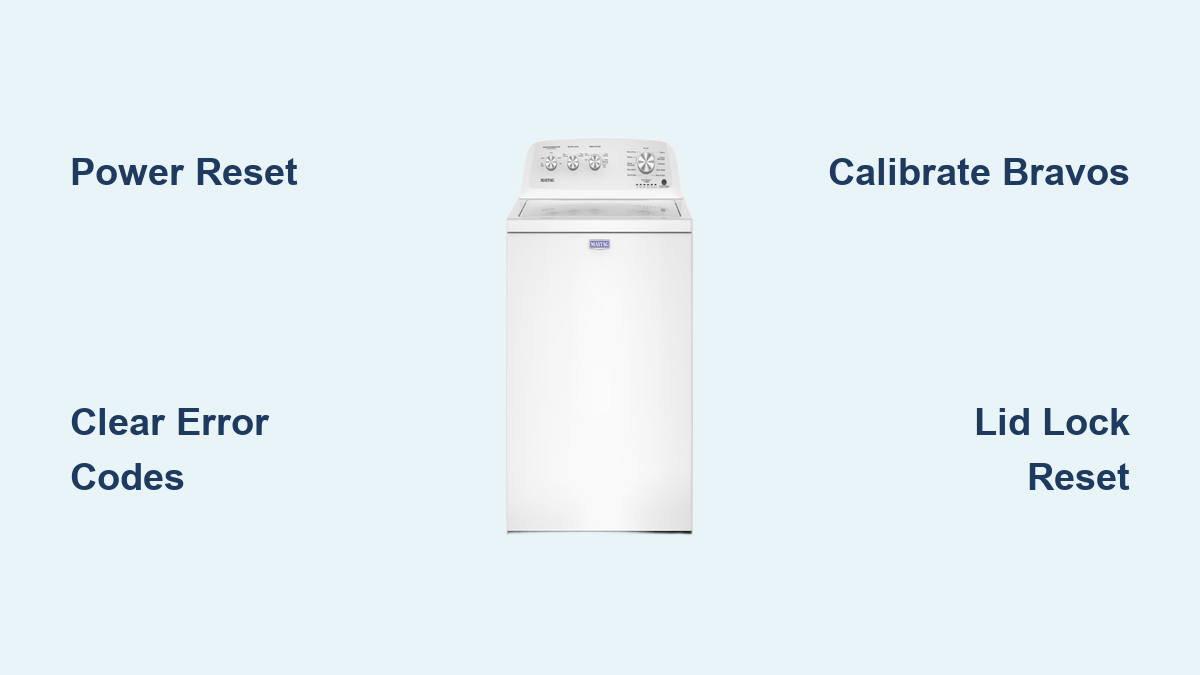
How to Reset Maytag Washing Machine
Your Maytag washer won’t start. The display is frozen. The start button blinks endlessly. You’re not alone—thousands of homeowners face these exact issues every month. The good news? Most electronic glitches in Maytag washers can be resolved in minutes with a proper Maytag washing machine reset. This guide delivers step-by-step fixes for every model, including top-load Bravos and Maxima units, 2022+ recalibrations, and error code clearing. No fluff, no guesswork—just proven, technician-backed methods that work. You’ll learn how to reset your washer, clear error codes, calibrate the system, and know when to call for help.
Power Reset: First Fix for Any Issue
A power reset clears temporary electronic faults. Think of it as rebooting a frozen computer. It’s the number one troubleshooting step for unresponsive controls, flashing lights, or mid-cycle stops.
Why This Works
Maytag control boards can lock up after power surges or voltage drops. Even when the washer appears off, residual power may keep the system in a glitched state. A full disconnect drains capacitors and forces a clean restart.
Step-by-Step Reset
Unplug the washer from the wall outlet, or turn off the circuit breaker. Wait at least 5 minutes. For stubborn issues, leave it off overnight. Reconnect power. Wait 30 to 60 seconds for the control board to fully reboot. Press Power, select a cycle, then hit Start.
Pro Tip: If the outlet is hard to reach, use the breaker. Never skip the 5-minute wait because shorter pauses often fail.
This method fixes approximately 80% of electronic issues, including frozen displays, unresponsive buttons, and communication errors between internal modules. If the problem persists, move to model-specific resets.
Clear Error Codes: F8E1, dL, SD, F5
Error codes tell you what is wrong, but clearing them does not fix the cause. First, eliminate the code. Then, diagnose the root issue.
Universal Code Clear
Press Pause/Cancel twice, with about 1 second between presses. Press Power once. The code should vanish.
This works on most digital-display Maytag models. But if the code returns, a hardware problem exists.
Fix F8E1: No Water Fill
Cause: Clogged inlet hoses, closed water valves, or faulty pressure switch.
Check Before Reset:
- Ensure hot and cold water valves are fully open
- Inspect inlet hoses for kinks or blockages
- Remove and clean screen filters inside hose connectors
After clearing, run a cycle. If F8E1 returns, replace the inlet valve or test the pressure switch.
Fix dL: Lid Lock Failure
Cause: Broken lock mechanism, failed lid switch, or wiring fault.
Check:
- Close the lid and listen for a click
- If silent, the lid lock assembly may be dead
- Inspect for obstructions or damaged plastic parts
Clear dL with the Pause/Cancel method, but if it reappears, expect a hardware repair.
Fix SD: Suds Detected
Cause: Too much detergent or slow drain.
Solution:
- Run a Rinse and Spin cycle
- Clean the drain pump filter
- Switch to HE detergent
Clearing SD temporarily stops the cycle, but fix the suds issue or it will return.
Calibration Reset: Bravos and Maxima Models
If your washer will not spin or agitate, this reset re-synchronizes the motor and control board. It is the most effective fix for direct-drive top-load Maytag washers from 2015 to 2021.
Does Your Model Qualify?
Look for LED lights below the cycle dial. This applies to Bravos MHW, Maxima MVWB, and similar models.
How to Recalibrate
Unplug for 30 seconds, then plug back in. Within 6 seconds, rotate the cycle dial clockwise 1 click, pause, clockwise 1 click, pause, counter-clockwise 1 click, pause, clockwise 1 click, pause. Keep rotating until only the Rinse LED is lit. Press and hold Start for 5 seconds.
The washer will run a self-test: lid locks, water valves open, pump runs, and tub spins.
Success Signs
Lid unlocks at the end. No error codes appear. Normal operation resumes.
This reset has a 90% success rate for spin and agitation failures.
Door Reset: Fix Lid Lock Errors
Stuck programs or motor errors? Try the 6-time lid reset. It forces the control system to re-sync with the lid lock.
How to Do It
Open and close the lid six times within 12 seconds. Keep a steady rhythm: open, close, open, close, open, close.
Must be done within 30 seconds of power-up. Best performed after a 5-minute power reset.
Works On
- Maytag Bravos
- Maxima top-load
- Other direct-drive models with electronic lid locks
This reset clears motor communication faults and stuck cycle states, especially after power outages.
Control Panel Reset: Unfreeze Buttons
Buttons not responding? Inputs registering wrong? A control panel reset can revive a frozen interface.
Step-by-Step
Pick three non-Power buttons such as Start, Pause, and Temp. Press them in the same order three times. For example, Start, Pause, Spin, then repeat twice. Do not press Power.
The control board reboots. All LEDs may flash briefly.
When to Use
- Touchpad ignores inputs
- Wrong cycle selected automatically
- Buttons seem stuck
This method bypasses software conflicts without erasing your settings.
Advanced Recalibration: 2022+ Models
Newer Maytag top-load washers (2022 and later) need a precise recalibration after repairs or major glitches.
Prerequisites
- Empty tub
- Lid closed
- Water supply on
- Power off completely (no lights)
Reset Sequence (Within 6 Seconds)
Set temperature dial to lowest setting. Press Start. Turn dial clockwise one position. Press Start. Turn dial back to first position. Press Start. Turn dial to second position. Press Start.
All steps must finish within 6 seconds. Timing is critical.
Confirm Success
Lid locks audibly. All bottom LEDs illuminate.
Then rotate each of the five dials once. Press Power. Hold Start, then open and close lid once.
The washer runs a full calibration: water fill, drain, agitation, spin.
Diagnostic Mode Reset: Deep System Reboot
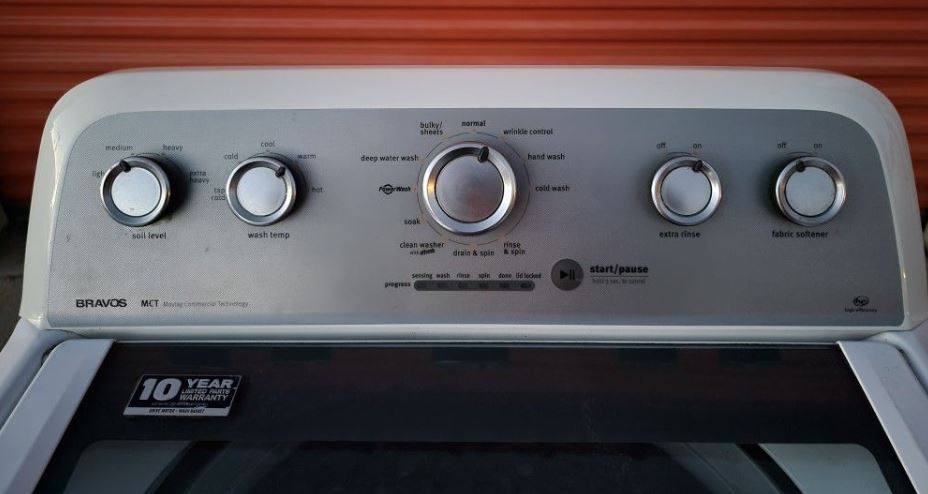
For complex issues or after part replacements (motor, pump, control board), use diagnostic mode.
Enter Diagnostic Mode
Cut power for 5 minutes, then restore. Rotate cycle knob counterclockwise one full turn. Within 6 seconds, turn 3 clicks clockwise, 1 click counterclockwise, 1 click clockwise.
Success: All lights flash together.
Start Calibration
While flashing, turn dial 4 more clicks clockwise. Press Start.
The washer runs a full self-test: lid locks, valves open, pump runs, agitation and spin test, ends with auto power-off.
If lights stay flashing or lid will not unlock, retry with exact timing. Check the technician sheet behind the control panel.
Model-Specific Fix: MVWB766FW
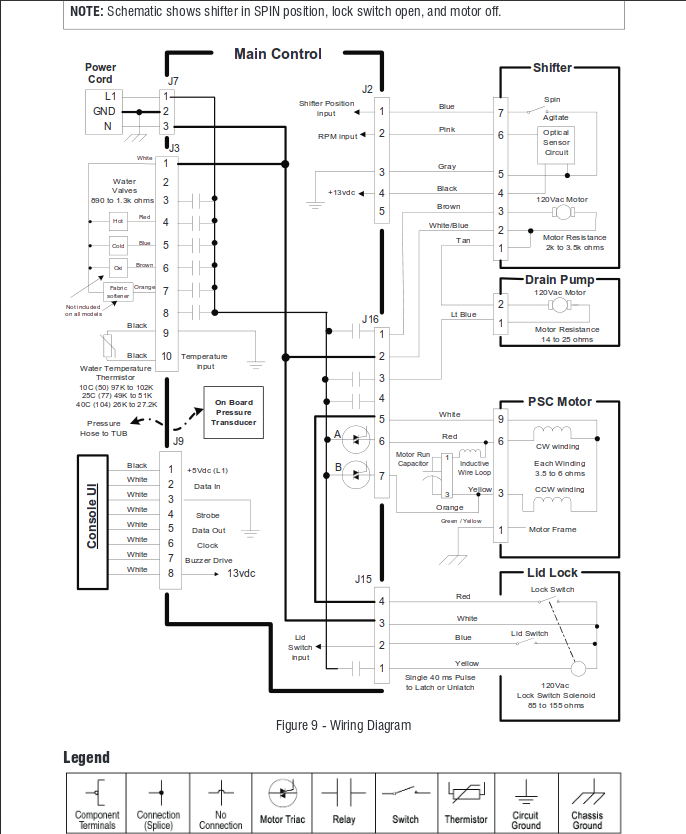
The Maytag MVWB766FW commonly suffers from a flashing start button and cycle time resets.
Quick Reset
Unplug for 1 minute. Ensure door is fully closed. Plug back in, wait 30 seconds.
If still flashing, open and close lid six times in 12 seconds. Select Normal cycle, press Start.
Control Board Check
Inspect wiring connections behind the panel. Look for corrosion, moisture, or loose plugs.
Calibration Alternative
Turn cycle dial left 1 click, right 3 clicks, left 1 click, right 1 click. Do quickly until lights come on. Press Start.
Expert Verdict: If flashing continues, the lid lock assembly is likely faulty and needs replacement.
Disable Control Lock: Regain Control
Controls dead? You might have Control Lock enabled.
How to Turn Off
Press and hold Control Lock button for 3 seconds. The padlock icon should disappear.
On some models, use Options plus Spin, or Signal plus Delay Start. Check your manual if unsure.
Always disable Control Lock before attempting other resets.
Prevent Future Issues: Maintenance Guide
Frequent resets mean poor maintenance. Follow these steps to cut error codes by 70%.
Monthly
Run cleaner tablet or 1 cup vinegar plus 1/2 cup baking soda on Hot Water plus Heavy Duty cycle.
Weekly
Pull out detergent drawer, rinse under warm water. This prevents clogs that trigger sensor errors.
Every 6 Months
Inspect inlet hoses for cracks or kinks. Clean inlet screen filters.
Always
Wipe lid seal to prevent mold. Keep washer level because uneven units cause spin errors.
When to Call a Technician
Reset failed? Some issues need professional eyes.
Red Flags
- Error code returns after 2 to 3 resets
- No lid click when closing
- Water will not fill or drain
- Grinding or thumping during spin
- Leaking from base
- Burning smell or smoke
- Control board completely dead
Persistent Codes
F8E1 returns: Check inlet valve or pressure switch. SD will not clear: Inspect drain pump. Spin fails after repair: Recalibration incomplete.
Technicians access hidden diagnostic logs and test components with precision tools.
Error Code Quick Reference
| Code | Meaning | Action |
|---|---|---|
| F1 | Control board failure | Reset; replace if persistent |
| F5 | Lid switch error | Test switch continuity |
| F6 | Motor tach failure | Check motor wiring |
| F8, F8E1 | Water inlet issue | Clean hoses, test valve |
| dL | Lid lock failure | Inspect lock assembly |
| SD | Excess suds | Run rinse, clean pump |
Key Takeaways for Resetting Your Maytag Washer
Always start with a power reset because it resolves most common electronic glitches. The 5-minute disconnect drains residual capacitor charge and reinitializes the control board. For top-load Bravos and Maxima models (2015-2021), the calibration reset using the Rinse LED method has a 90% success rate for spin and agitation problems. The 6-time lid reset works specifically for direct-drive models to clear motor communication faults after power interruptions. Newer 2022+ top-load models require precise recalibration with exact timing, so practice the sequence before attempting. If error codes return after multiple resets, you are dealing with a hardware issue that requires professional service. Combine resets with monthly maintenance using cleaner tablets or vinegar cycles to prevent future problems. Keep your technician sheet accessible because it contains diagnostic codes and advanced procedures. When the start button flashes or controls freeze, disable Control Lock first before trying other resets.
Frequently Asked Questions About Maytag Washing Machine Reset
How do I reset my Maytag washing machine?
Unplug the washer or turn off the circuit breaker. Wait at least 5 minutes. Reconnect power, wait 30 to 60 seconds, then press Power, select a cycle, and hit Start. This power reset fixes approximately 80% of electronic issues.
Why does my Maytag washer keep flashing the start button?
This typically indicates a lid lock issue or control board glitch. Try unplugging for 1 minute, then open and close the lid six times within 12 seconds. Select a cycle and press Start. If flashing continues, the lid lock assembly likely needs replacement.
What does error code F8E1 mean on my Maytag washer?
F8E1 means the washer is not detecting proper water fill. Check that both hot and cold water valves are fully open. Inspect inlet hoses for kinks and clean the screen filters inside hose connectors. Clear the code using Pause/Cancel twice plus Power.
How do I calibrate my Maytag top-load washer?
For 2015-2021 models (Bravos, Maxima), unplug for 30 seconds. Within 6 seconds, rotate the cycle dial clockwise 1 click, pause, clockwise 1 click, pause, counter-clockwise 1 click, pause, clockwise 1 click, pause. Continue until only Rinse LED lights. Press and hold Start for 5 seconds.
When should I call a professional for my Maytag washer?
Call a technician if error codes return after multiple resets, the lid will not click when closed, water will not fill or drain, you hear grinding or thumping during spin, there is leaking from the base, or you smell burning. These indicate hardware failures requiring professional diagnosis.