Indesit Washing Machine Repair Guide
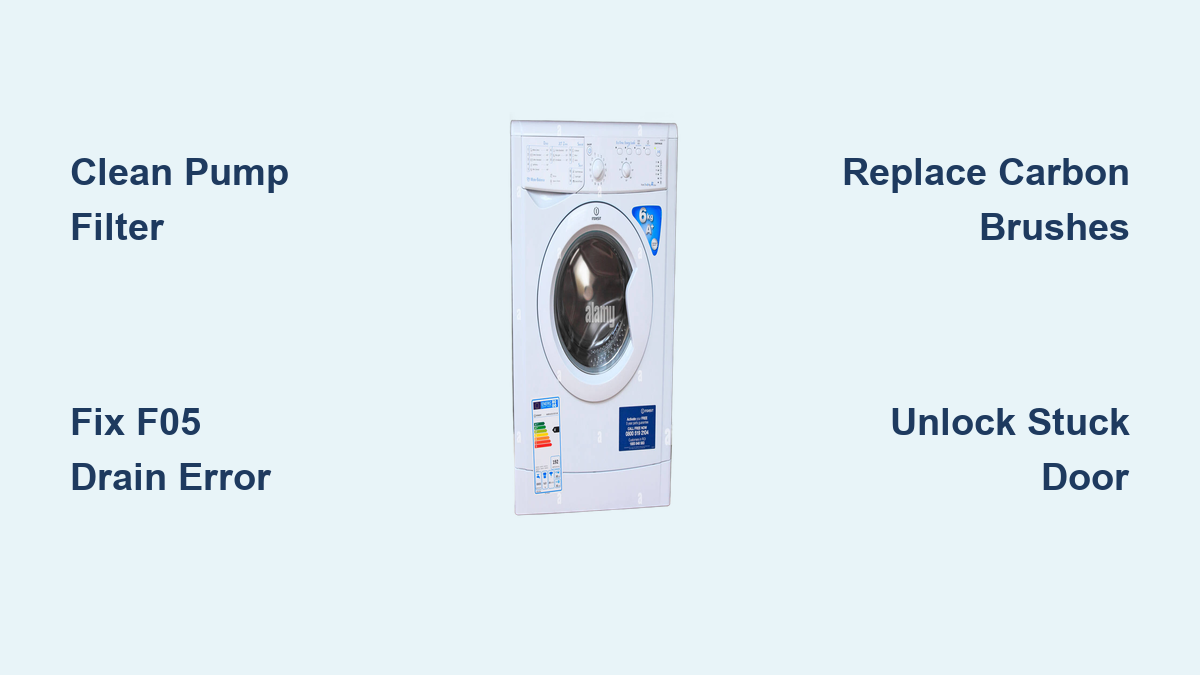
Is your Indesit washing machine stuck mid-cycle, flashing error codes, or refusing to drain? You’re not alone. Millions of UK households rely on Indesit appliances for everyday laundry, but even the most dependable models can develop faults over time. Whether it is a persistent F05 drain error, a spinning failure, or a locked door, many common issues can be resolved at home without calling a technician.
This guide delivers actionable, step-by-step solutions for diagnosing and repairing the most frequent Indesit washing machine problems. From decoding flashing lights to replacing worn carbon brushes and clearing blockages, you will learn how to restore performance, extend your machine is lifespan, and save money on costly service calls.
Decode Indesit Error Codes and Flashing Lights
Indesit washing machines use a simple system of error codes and flashing lights to signal faults. Recognizing these early helps prevent minor issues from becoming major repairs.
What Common Error Codes Mean
Common error codes include F01, F02, F05, F06, and F12. Each code points to a specific component or system failure. For example, F05 almost always means water is not draining, usually due to a blocked pump filter. F02 often indicates worn carbon brushes in the motor, especially in older models like the XWD71252WUK.
The key error codes to know are:
- F01: Control board failure
- F02: Motor fault
- F05: Drainage problem
- F06: Door lock or motor speed sensor issue
- F12: Electronic control fault
Write down the exact error code and any light patterns before troubleshooting. This helps track recurring issues and speeds up diagnosis.
Check Flashing Light Patterns
When no error code appears, flashing indicator lights can still reveal the problem. If all three main lights flash simultaneously, start with the pump filter, as this is one of the most common fixes across Indesit models.
The flashing light meanings include:
- Pre-wash light flashing: Fill failure. Check inlet hoses and taps.
- Wash light flashing: Program dial moved during cycle.
- Spin light flashing: Unbalanced load. Redistribute laundry.
- All three lights flashing: Drain blockage. Inspect filter and waste pipe.
Always unplug the machine before inspecting internal parts. Water and electricity do not mix.
Run Diagnostic Mode to Identify Hidden Faults
Many Indesit machines have a built-in diagnostic test mode that runs automated checks on key components. This is invaluable for pinpointing hidden faults on models like the XWD71252WUK.
Enter Test Mode Step by Step
The diagnostic mode entry requires a specific sequence of dial rotations and power cycles. Follow these steps exactly:
- Turn the machine off.
- Rotate the program dial to 12:00 position.
- Turn the machine on.
- Rotate dial to 1:00.
- Turn the machine off.
- Rotate back to 12:00.
- Turn the machine on.
- Rotate to 2:00.
- Turn the machine off.
- Rotate to 12:00.
- Turn the machine on.
- Rotate to 11:00.
- Press Start.
Success is confirmed when the display shows Test in the top-right corner. If the machine does not enter test mode, double-check dial positions and ensure the door is fully closed.
What the Diagnostic Test Checks
Once activated, the machine runs a 4 to 5 minute self-test evaluating water inlet valves, heating system, drum rotation, drain pump, and spin performance. The test fills to predetermined levels, activates the heater while monitoring the NTC sensor, rotates the drum slowly in both directions, initiates pump operation, and runs a high-speed spin to verify motor strength.
Upon successful completion with no faults detected, the display shows End. If a component fails, the machine may display an error code indicating which part needs attention.
Fix F05 Drain Error at Home
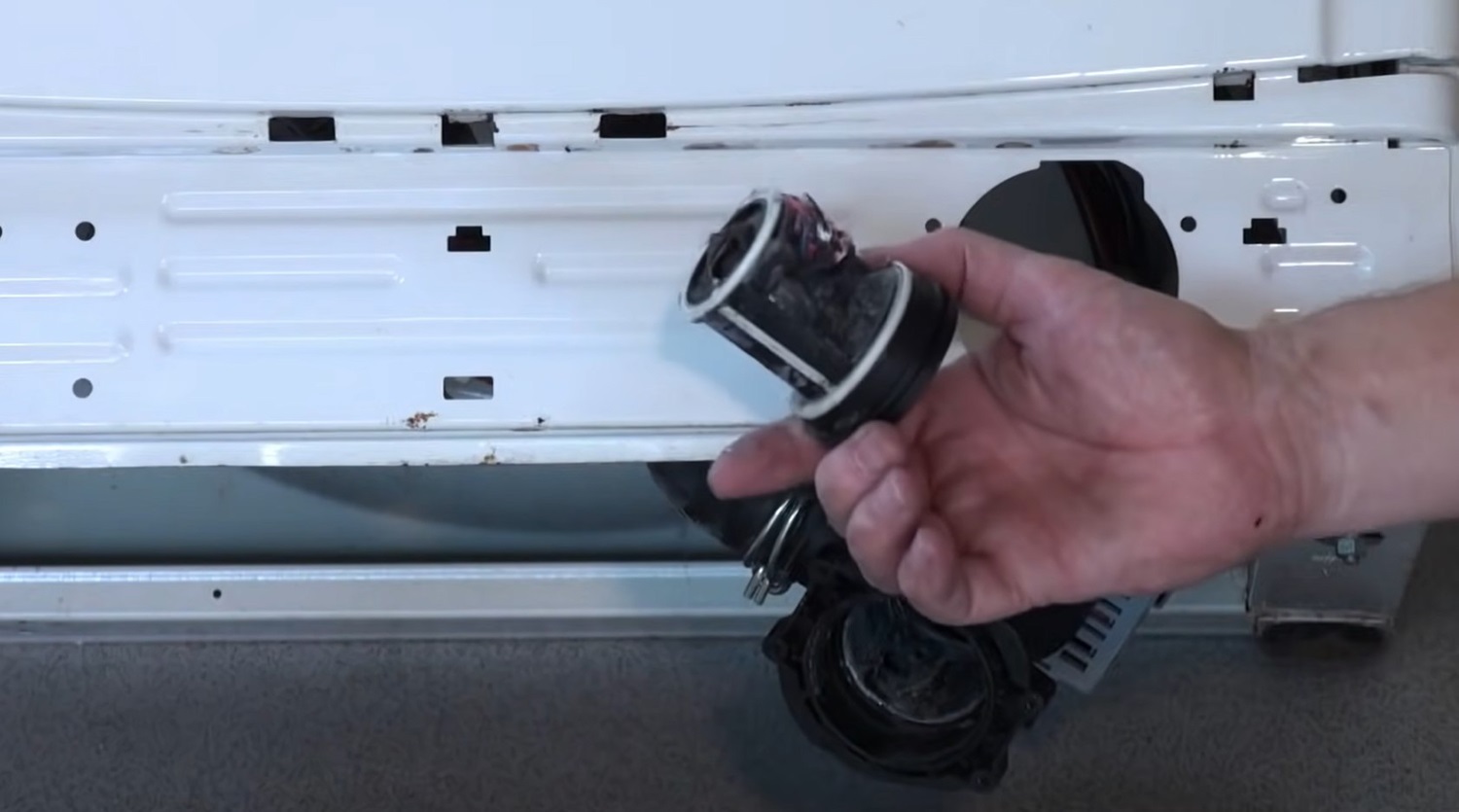
The F05 error is one of the most common Indesit faults, and often the easiest to fix. It means the machine cannot drain water, usually because the pump filter is blocked.
Clean the Pump Filter
Tools needed include towels, a shallow container, and gloves. Place towels and a container under the front-bottom access panel. Unscrew the pump filter cap, which usually turns anti-clockwise. Let residual water drain out, as up to 1 to 2 liters may spill. Remove debris such as coins, hair, socks, and bra wires. Inspect the impeller inside the pump by rotating it by hand. If stiff or cracked, replace the pump. Reinstall the filter and tighten securely.
Never run the machine without the filter in place, as it protects the pump from damage.
Clear the Sump Hose and Waste Pipe
If the filter is clean but drainage fails, check the sump hose and waste pipe. Disconnect the waste hose from the sink trap. Flush with hot water to remove grease and sludge. Use a bottle brush or plumbing snake if clogged. Inspect the S-pipe under the sink and clean any buildup. Ensure the waste hose is not kinked or raised higher than 100 cm.
Run a drain or spin cycle after cleaning to confirm the fix. If no water is left in the drum, the issue is resolved.
Repair F02 Motor Fault with Carbon Brush Replacement
The F02 error typically means the motor is not running, often due to worn carbon brushes. These small components conduct electricity to the motor is commutator and wear down over time.
Replace Carbon Brushes
Symptoms of worn brushes include the machine starting but stopping mid-cycle, a clicking noise from the back, and the drum not spinning. Replacement steps are as follows:
Unplug the machine and turn off water. Remove the back panel, watching for sharp edges. Locate the motor, which is connected by six wires and an earth lead. Remove the drive belt, which uses spec 5PJ 1194 at 1194 mm. Disconnect wiring and remove two 10 mm bolts. Slide out the motor. Open the brush holder and replace both brushes, using OEM parts.
New brushes should be 10 to 12 mm long. Replace if under 5 to 6 mm.
Test Motor and Connections
After replacement, manually rotate the drum to seat the belt. Plug in and run a short cycle. Listen for smooth motor operation with no grinding or hesitation. If F02 returns, test the motor windings with a multimeter set to resistance mode. Check for continuity. An open circuit means motor failure. Inspect wiring between motor and PCB for damage.
Unlock a Stuck Door Safely

A locked door after a cycle is usually caused by residual water triggering the safety lock. Quick fixes include running a drain-only cycle, unplugging the machine for 10 to 15 minutes to reset the control board, and using the emergency release cord behind the filter panel to open the door manually.
Never force the door, as this can break the interlock mechanism. If the door stays locked even when dry, access the door lock assembly and test with a multimeter for continuity. Replace if no signal is sent when locked.
Some Indesit models have a door lock defect. Check the official recall list using your model number.
Fix Water Filling Problems
If the drum is not filling with water, check the inlet hoses and valves. Ensure the stopcock is fully open. Inspect inlet hoses for kinks or blockages. Remove and clean the inlet filter, which is a small mesh screen inside the hose connector.
To test the inlet valve, disconnect power and use a multimeter to test for continuity. If no continuity is found, replace the water inlet valve. A faulty pressure switch can also prevent filling, so check if the machine thinks it is already full.
Stop Leaks and Reduce Vibration
Common leak points include the door seal, dispenser drawer, inlet and drain hoses, and pump filter housing. Check the door seal for tears or trapped debris. Clean the folds monthly. Remove the dispenser drawer and clean siphon channels. Tighten hose connections or replace if cracked. Ensure the filter cap is tight and the O-ring is intact.
Run a fill cycle and wipe down areas to spot the leak source. Causes of vibration during spin include transit bolts not removed from new machines, an unbalanced load, an uneven floor, or worn shock absorbers. Place a spirit level on top and adjust the feet until the machine is level.
Maintain Your Indesit Monthly
Prevent mold and clogs by running a 90C empty wash monthly with vinegar or drum cleaner. Remove the dispenser drawer, soak in warm water, and clean nozzles with a brush. Wipe the door seal with a damp cloth and leave the door ajar when not in use.
Monitor carbon brushes every 2 years or at 5,000 cycles. Replace the drive belt if cracked or glazed. Swap the door seal if split or leaking. Keep spare brushes and a filter wrench on hand for quick fixes.
When to Call a Professional
For complex issues like F01 or F12 control board failure, drum bearing failure, or persistent F06, book an Indesit-authorized repair. Under warranty, call 0344 822 4224 Monday to Friday 8 AM to 6 PM and Saturday 8:30 AM to 4:30 PM. Out of warranty, call 0808 281 6363 for a quote.
All approved repairs come with a 12-month parts and labor warranty. For same-day help, Housekeep connects you with vetted local engineers at 020 3479 2820.
Final Thoughts on Indesit Washing Machine Repair
Most Indesit washing machine faults are fixable with basic tools and a little know-how. From clearing a clogged filter to replacing carbon brushes, you can resolve 80 percent of issues at home. Use diagnostic mode to identify hidden problems, keep the pump filter clean, and address error codes like F02 and F05 promptly.
When in doubt, consult the user manual or contact Indesit support. Stay proactive with monthly maintenance to keep your machine running efficiently for years.
Frequently Asked Questions About Indesit Washing Machine Repair
What does the F05 error mean on my Indesit washing machine?
F05 indicates a drainage problem, almost always caused by a blocked pump filter. Clean the filter first, and if the error persists, check the sump hose and waste pipe for blockages.
How do I enter diagnostic mode on my Indesit XWD71252WUK?
Turn the machine off, rotate the dial to 12:00, turn on, rotate to 1:00, turn off, and repeat the sequence through 2:00 and 11:00 before pressing Start. The display shows Test when successful.
Can I replace carbon brushes myself on an Indesit washing machine?
Yes, carbon brush replacement is a straightforward DIY repair. Remove the back panel, locate the motor, disconnect the belt, and swap both brushes. New brushes should be 10 to 12 mm long.
Why is my Indesit washing machine door locked after the cycle ends?
The door stays locked if water remains in the drum, triggering the safety lock. Run a drain cycle, unplug for 10 to 15 minutes, or use the emergency release cord behind the filter panel.
How often should I clean the pump filter on my Indesit washing machine?
Clean the pump filter every 3 to 6 months, or immediately if F05 errors occur. Regular cleaning prevents drainage problems and extends pump life.