Samsung Washing Machine Repair: Quick Fix Tips
Is your Samsung washing machine making strange noises, leaking water, or refusing to start? These are common issues that thousands of homeowners face every year. The good news is that most problems can be diagnosed and resolved quickly with the right knowledge. This guide covers everything you need to get your washer running like new, from error code troubleshooting to professional repair options.
In this article, you will learn how to decode Samsung error codes, test key components with a multimeter, perform safe DIY repairs, and determine when to call a Samsung-certified technician. All information comes directly from Samsung’s official service documentation, ensuring accuracy and compatibility with your specific model.
Decode Common Samsung Washing Machine Error Codes
:max_bytes(150000):strip_icc()/samsung-front-load-washer-fault-codes-2147297_final-fbe1df0aaa4540bbac79238436bead3d.png)
Samsung washers use smart diagnostics to alert you to problems. Understanding what the codes mean saves time and prevents misdiagnosis.
E1, E2, and TC Error Codes
These codes typically point to pressure switch, inlet valve, or temperature sensor issues. E1 and E2 often mean no water intake or overfilling, while TC indicates heating failure or sensor fault.
To diagnose these errors, start by checking if the water supply is turned on and inspecting inlet hoses for kinks. Test the pressure switch voltage, which should read approximately 2.5 V DC at rest. Measure the temperature sensor resistance, which should be approximately 10 kΩ at room temperature. If readings show OL (open) or near 0 Ω, the part needs replacement.
F1 and F2 Error Codes
These indicate motor winding imbalance or PCB communication issues. To diagnose, use a multimeter to test resistance between motor terminals U-V, V-W, and W-U. All readings should be nearly equal, typically around 5.0 kΩ. Any significant difference indicates damaged windings.
Also test for insulation failure by checking any terminal to ground (chassis). The reading must show OL (infinite resistance). A low reading means the motor must be replaced.
E3 and E4 Error Codes
These errors mean the drain time exceeds the limit, usually due to a blockage. Quick fix steps include pausing the cycle and locating the drain pump filter, which is usually at the bottom front of the unit. Place a towel underneath, then open the filter cap slowly as water may spill. Remove lint, coins, or debris, then reassemble and test. If the pump still fails, check its resistance. The normal range is 100 to 150 Ω. OL indicates an open coil requiring pump replacement.
Essential Safety Steps Before Repair
Always disconnect power before working on your washer to prevent electrical shock or injury.
Power Disconnection
Unplug the machine or turn off the circuit breaker before any repair work. Use a lockout tag if multiple people access the unit. Turn off water valves to prevent leaks during service.
Protective Equipment
Wear safety glasses when removing panels to protect your eyes from debris. Use gloves to avoid cuts from sharp metal edges. Wear non-slip shoes if working on wet floors.
Warranty Considerations
Opening the machine with non-certified tools or personnel may void your warranty. For in-warranty units, use Samsung-certified technicians only to maintain coverage.
Required Tools for Samsung Washing Machine Repair
You do not need a full mechanic’s garage. Just the basics will suffice for most repairs.
Essential Tools
A digital multimeter (DMM) is necessary for testing resistance and voltage. Phillips and flathead screwdrivers handle most screw types. An 8mm and 10mm socket set fits common fasteners. Pliers and an adjustable wrench provide gripping power. A plastic putty knife helps with gasket installation without damaging rubber. Tie clips secure wiring after reassembly.
Optional but Helpful Tools
A flashlight or headlamp illuminates dark spaces inside the machine. A camera or phone lets you take photos before disassembly for reference. Electrical contact cleaner removes corrosion from terminals.
Diagnosing Power and Water Supply Issues
No power or water are the most common complaints. Test these key components step by step.
No Power Troubleshooting
First verify the outlet is live by testing with another device. Check that the breaker has not tripped and the power cord is not damaged. On Samsung models, the door must be fully closed and locked, and the pressure switch must detect water level before the PCB enables 220 to 230 V AC to the motor.
Use a multimeter to test voltage at PCB input terminals. Expected reading is 220 to 230 V AC. Zero volts indicates you should check the main fuse, door lock switch, pressure switch, and PCB output.
No Water Fill Diagnosis
Symptoms include a drum that does not fill, error E1 or E2, or continuous filling if the valve sticks open. Test the inlet valve coil resistance by disconnecting power, removing wires from the valve, and setting the multimeter to ohms. Normal reading is 100 to 150 Ω. OL (open) or 0 Ω means replace the valve.
Also inspect the water supply valves to ensure they are fully open. Check inlet hose filters for debris and the pressure hose for blockages or air leaks.
Testing Key Components with a Multimeter
Accurate testing prevents unnecessary part replacements and saves money.
Testing the Heating Element
The heating element should read approximately 10 kΩ. Disconnect power and access the element, usually at the rear or bottom. Set the multimeter to 10 kΩ or 20 kΩ and measure across the two terminals. A reading of approximately 10 kΩ indicates the element is good. OL (infinite) means replace the heating element. Near 0 Ω indicates a short that requires immediate replacement.
Testing the Thermostat and Temperature Sensor
Both should read approximately 10 kΩ at room temperature. Remove the sensor from its housing and measure resistance. OL indicates an open sensor requiring replacement. Near 0 Ω indicates a shorted sensor that must be replaced. These components often fail together, so if both test bad, suspect a power surge event.
Testing the Pressure Switch
With the machine off and no water in the drum, measure DC voltage at the switch. It should read approximately 2.5 V on each side. Zero volts indicates possible causes including a blocked pressure hose, air leak in tubing, failed switch, or PCB issue.
Visually inspect the hose for cracks, kinks, or disconnection. Blow through it to clear minor blockages.
Replacing Faulty Parts Safely

Once you have diagnosed the problem, replacement is straightforward if done correctly.
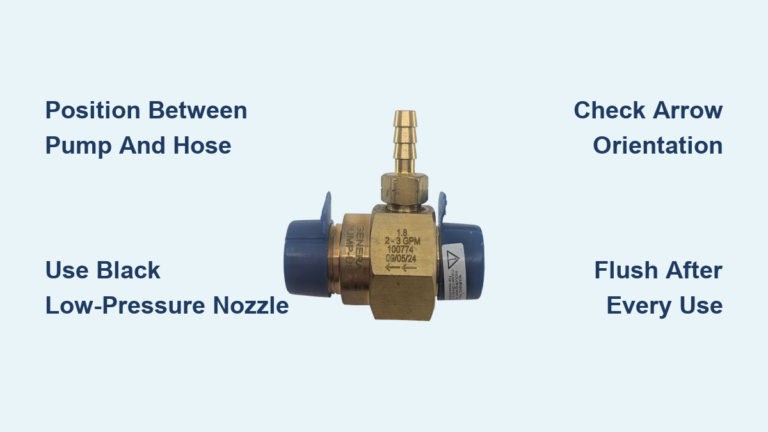
Installing a New Inlet Valve
Shut off water and unplug the machine. Remove the top or rear panel. Disconnect water hoses, placing a towel underneath to catch drips. Remove the old valve, noting wire positions for reference. Install the new genuine Samsung valve and reconnect hoses and wires. Restore power and test the fill cycle. Take a photo before disconnecting wires to avoid confusion during reassembly.
Swapping Out the Drain Pump
This repair takes approximately 30 minutes. First empty the washer using the drain cycle or manual pump. Remove the front lower panel and locate the pump near the drum base. Disconnect the electrical connector and detach the hoses using new clamps. Unscrew the mounting bolts and install the new genuine Samsung pump. Reconnect everything and test. Never reuse old clamps because they weaken over time and may fail.
Reassembling and Testing After Repair
A rushed reassembly can cause new problems. Take your time with this critical phase.
Belt Installation for Belt-Driven Models
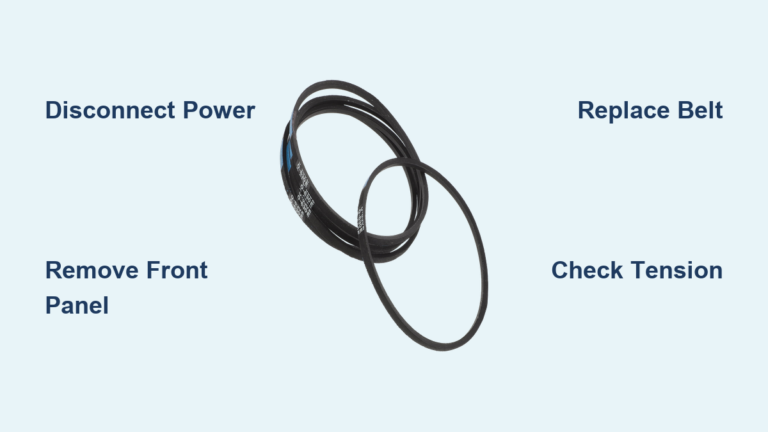
Loop the belt around the motor pulley first, then guide it onto the drum pulley. Align it with the mark on the motor pulley. Use a plastic tool to seat the belt fully. Ensure there is no twist and proper tension. Do not overstretch the belt because this causes squealing or slippage during operation.
Door Gasket Installation
A bad seal leads to leaks and mold growth. Clean the door frame groove and drum edge thoroughly. Insert the gasket into the frame and attach the retaining spring ring if present. Use a plastic putty knife to press the gasket into place. Avoid metal tools that can puncture the rubber. Check that the gasket is fully seated with no pinching or gaps and that the door closes smoothly.
When to Call a Samsung-Certified Technician
Some jobs are best left to professionals with proper training and tools.
Call for These Issues
Contact Samsung for F1 or F2 motor errors with no clear cause. PCB replacement or firmware updates require specialized knowledge. Structural damage like a cracked tub or broken suspension needs professional attention. All in-warranty repairs should be handled by certified technicians. Call a pro if you lack confidence in electrical testing.
Benefits of Certified Service
Samsung-certified technicians use genuine Samsung parts only. They undergo over 100 hours of annual training and must pass annual recertification. All technicians are background-checked for your safety. After repair, they perform a 10-point diagnostic test to confirm success. Coverage is nationwide with 99% of the US population serviced.
Scheduling In-Home Repair
Skip the wait by requesting help in 48 hours through Samsung’s official channels.
How to Request Service
Sign in to your Samsung Account to speed up the process. Go to Support and select Request Repair. Choose Home Appliance and Washer. Enter your model and serial number, found inside the door or on the rear panel. Describe the issue, using any error code if available. Choose in-home, mail-in, or walk-in service. Confirm your contact details.
A Samsung Account is recommended but not required. Without an account, you can still request service but tracking is more difficult.
What Happens Next
A technician contacts you within 2 business days to schedule a visit at your convenience. The repair is done on-site using genuine Samsung parts. A 10-point test confirms the repair was successful. The Samsung Beyond Boundaries Program ensures even rural areas receive service.
Preventing Future Breakdowns
A little maintenance goes a long way toward extending your washer’s lifespan.
Monthly Maintenance
Run a 90°C (194°F) hot wash cycle with dedicated washing machine cleaner. This removes mold, lime, and odor-causing bacteria that accumulate in the drum and tubing.
Every Three to Six Months
Clean the drain pump filter to prevent E3 and E4 errors. This takes less than five minutes and stops clogs before they cause problems.
Annually
Inspect inlet hoses for bulges, cracks, or leaks. Replace hoses every five years even if they appear fine because internal deterioration is not always visible.
After Every Use
Wipe the door gasket with a dry cloth to prevent mildew and odors. This simple habit dramatically improves hygiene and extends gasket life.
Samsung vs DIY: Making the Right Choice
Not every fix should be a DIY project. Know when to tackle it yourself and when to call a pro.
DIY for Simple Tasks
These low-risk, high-reward tasks are safe to do yourself. Clean the detergent drawer regularly. Replace inlet hoses if damaged. Clear the drain filter when clogged. Wipe the gasket after each use.
Professional Repair for Complex Issues
Call Samsung for motor, PCB, or pump replacement. Electrical faults require professional handling. Error codes with no clear cause need expert diagnosis. Anything under warranty should go to certified technicians.
The reason is clear. DIY repairs with non-genuine parts void your warranty. Certified repairs use real Samsung components backed by the manufacturer. Professionals find hidden issues before they fail, preventing future breakdowns.
Accessing Free Digital Support Tools
Samsung offers powerful self-help resources for troubleshooting and maintenance.
Samsung Members App
Download the app for 24/7 access to live chat support. Get error code explanations and interactive simulators. Track your repair status in real-time. Receive push notifications for service updates.
YouTube Tutorials
Visit the Samsung Care YouTube channel for step-by-step guides. Filter cleaning demos show you how to maintain your washer. Part replacement guides walk you through common repairs. Troubleshooting walkthroughs help diagnose issues yourself.
Online Manual Lookup
Need your manual? Go to Samsung Support and enter your model number, such as WF42H5000AW. Download the PDF instantly. Find the model number inside the door seal, on the rear panel, or in your user manual.
Frequently Asked Questions About Samsung Washing Machine Repair
How Do I Reset My Samsung Washing Machine?
Unplug the machine for one minute, then plug it back in. This clears minor software glitches. For persistent errors, run a diagnostic cycle using the control panel or contact Samsung support.
What Does Error Code E3 Mean on My Samsung Washer?
E3 indicates a drain problem. The washer cannot pump out water within the expected time. Common causes include a clogged drain pump filter, kinked drain hose, or failed drain pump. Clean the filter first, then check the hose and pump.
Why Is My Samsung Washing Machine Not Spinning?
Possible causes include an unbalanced load, closed lid, failed motor, or broken belt. Redistribute the load evenly and ensure the lid is fully closed. If the problem persists, test the motor windings or inspect the belt for damage.
How Much Does Samsung Washing Machine Repair Cost?
Costs vary based on the issue, warranty status, and required parts. In-warranty repairs are free. Out-of-warranty costs depend on the component. Motor and PCB repairs are more expensive than pump or valve replacement. Samsung provides detailed estimates after diagnosis.
Can I Repair My Samsung Washing Machine Myself?
Simple tasks like cleaning filters and hoses are safe for DIY. Electrical repairs, motor issues, and anything under warranty should be handled by professionals. Using non-genuine parts voids your warranty.
Where Can I Find My Model and Serial Number?
The model number is inside the door seal or on the rear panel. The serial number is an 11-digit code on the same label. You need both when requesting service or ordering parts.
Key Takeaways for Samsung Washing Machine Repair
Samsung washing machine repair involves understanding error codes, testing components with a multimeter, and knowing when to call a professional. E1, E2, and TC codes point to water or heating issues, while F1 and F2 codes indicate motor or control board problems. E3 and E4 codes signal drain pump blockages that you can often clear yourself.
Safety comes first. Always disconnect power before working on the machine. Use genuine Samsung parts for any replacement. Document your repair with photos before disassembly.
Preventive maintenance extends your washer’s life significantly. Run monthly hot cycles with cleaner, clean the pump filter every three to six months, inspect hoses annually, and wipe the gasket after each use.
For complex issues, Samsung’s certified technicians provide reliable service with genuine parts and a 10-point post-repair diagnostic. Whether you are fixing an E1 code, replacing a drain pump, or scheduling professional repair, this guide gives you the exact steps Samsung technicians use. With proper care, your Samsung washer can last 10 years or more, keeping your laundry clean, quiet, and reliable.